

Warning volume
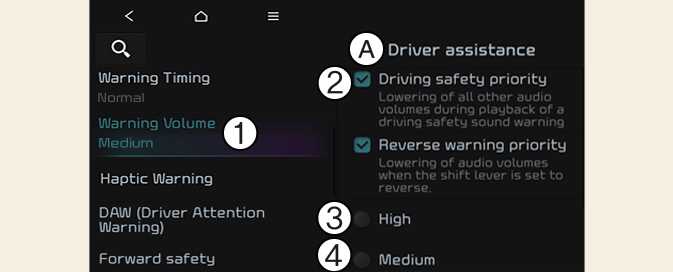
A: Driver assistance
-
Warning volume
-
Driving safety priority
-
High
-
Medium
-
Low
-
Off
With the vehicle on, Settings → Vehicle → Driver assistance → Driving safety → Warning volume on the infotainment system to change the Warning volume to adjust the Warning volume levels; High, Medium, Low or Off.
If Driving safety priority is selected, the audio volume will temporarily decrease to warn the driver with the audible warning for safe driving.
-
If the vehicle is restarted, Warning Volume will maintain the last setting.
-
If you change the Warning Volume, the Warning Volume of other Driver Assistance systems may change.