

Warning Volume
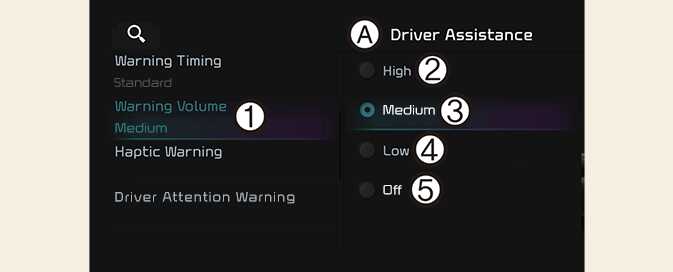
OCV041562L2
A: Driver assistance
-
Warning volume
-
High
-
Medium
-
Low
-
Off
With the vehicle on, select Settings → Vehicle → Driver assistance → Warning volume from the infotainment system screen to change the Warning Volume to High, Medium, Low or Off for Reverse Parking Collision-Avoidance Assist.
NOTE
-
If you change the Warning Volume, the warning volume of other Driver Assistance systems may change.
-
However, even if Off is selected, the volume will not turn off but the volume will sound as Low.