
Setting performance timer
Operation
-
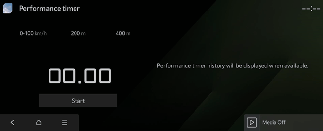
Select Performance Timer menu and press Start from the infotainment screen.
-
Depress the accelerator pedal to start the measurement.
Operating condition(s)
-
Vehicle speed reaches approximately 100 km/h (62 mph)
-
When passing 200 m (656 ft)
-
When passing 400 m (1,312 ft)

NOTICE
-
Press Reset to clear the performance timer.
-
Press Reset History to clear all the timer records shown on the right side.
-
You can also control the performance timer on a cluster using steering wheel button.