

Ground lighting: (if equipped)
Ground lighting is feature that uses the front head lamp, rear door lamp (2nd row) and reversing lamp of the vehicle as lighting to improve visibility during outdoor activities in low-light conditions.
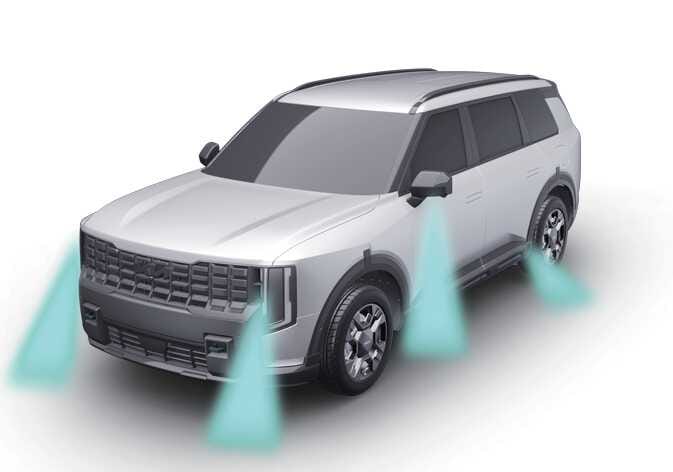 OLQ2AXL085002 |
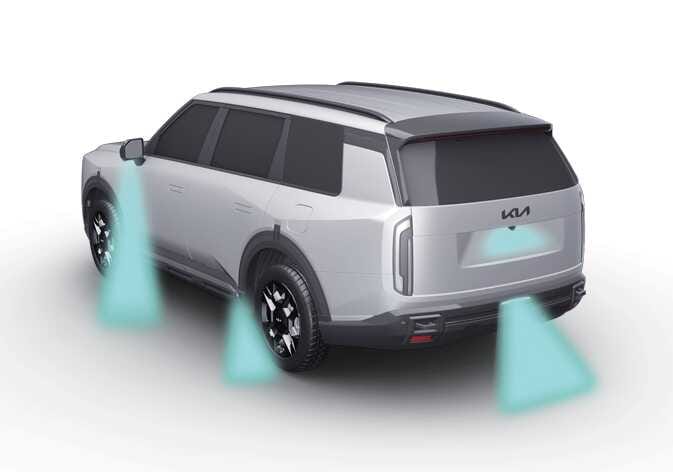 OLQ2AXL085001 |
Ground lighting settings
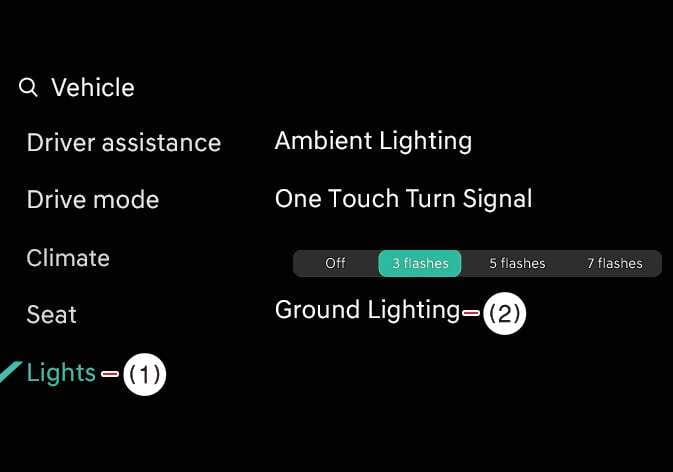 OLQ2A005116 |
|
The function is available when the vehicle is in Park (P) and the vehicle's headlights are set to AUTO.
Select from the infotainment system to check if the ground lighting function is ON and select the lighting area.
The ground lighting is activated when the vehicle is in OFF position. Depending on the vehicle's 12V battery status, the function may be unavailable or the length of time the lighting stays on may vary. This feature is automatically disabled when the vehicle is started.
To disable ground lighting function, finished using, select from the infotainment system or press the lock button on the smart key twice to turn off the ground lights.
-
To turn off the tail lamps, uncheck Front from the infoainment system.
-
The ground lighting function automatically turns off when the vehicle's 12V battery is low.
-
The ground lighting function keeps the lights on for up to approximately 25 minutes.
The infotainment system may change after a software update. For more details, refer to the user’s manual in the infotainment system or the quick reference guide.