

Cargo security screen: (if equipped)
Use the cargo security screen to hide items stored in the cargo area.
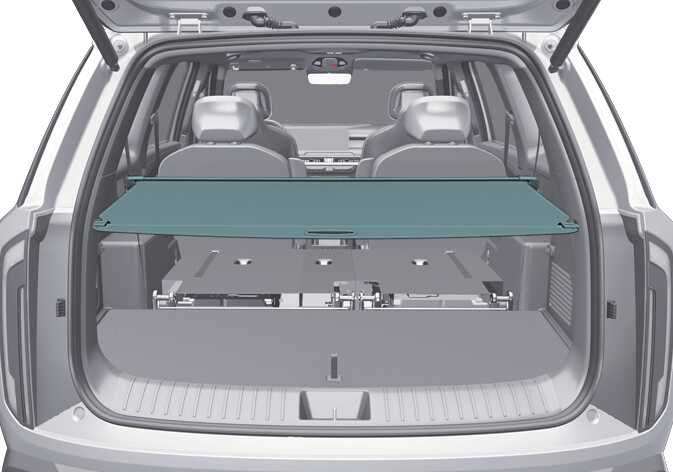 OLQ2A085078 |
-
Never allow anyone to ride in the luggage compartment. It is only for luggage.
-
Maintain the vehicle ’s balance, and adjust the weight of luggage as far forward as possible.
Do not put luggage on the cargo security screen, as this may damage the screen. Luggage may also move around inside the vehicle and injure occupants during an accident or when braking.
Using the cargo security screen
 OLQ2A085079 |
-
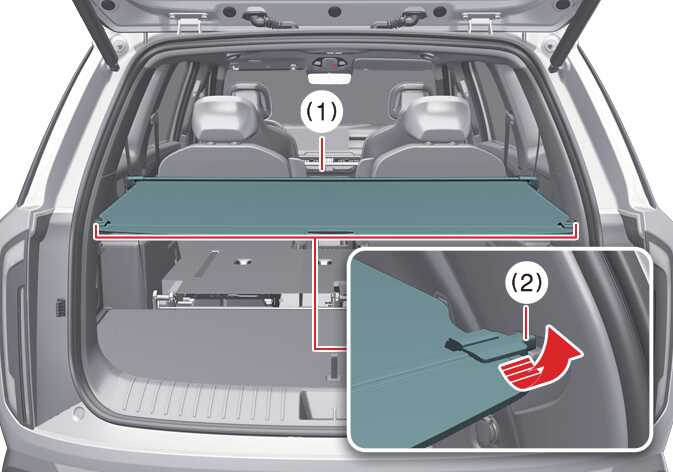
Pull the cargo security screen towards the rear of the vehicle by the handle (1).
-
Insert the guide pin into the guide (2).
-
When the cargo security screen is not in use, pull the cargo security screen backward and up to release it from the guides.
-
The cargo security screen will automatically slide back in.
To prevent the guide pin from falling out of the guide, pull out the cargo security screen using the handle in the center.
The cargo security screen may not automatically slide back in if the cargo security screen is not fully pulled out. Fully pull it out and then let go.
Retrieving the cargo security screen
-
Open the luggage tray cover.
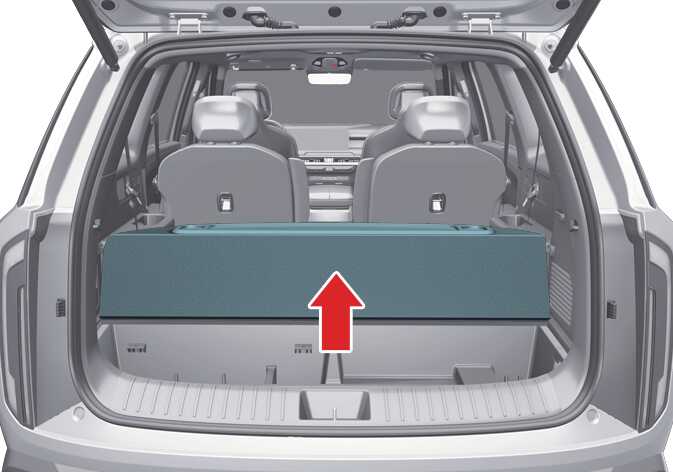 OLQ2A085089
 -
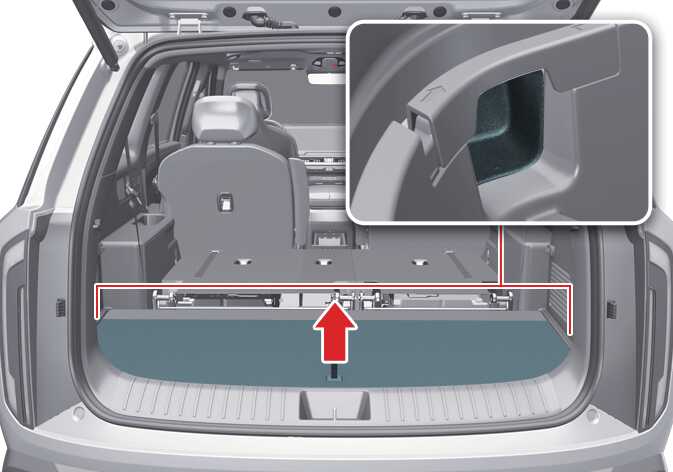
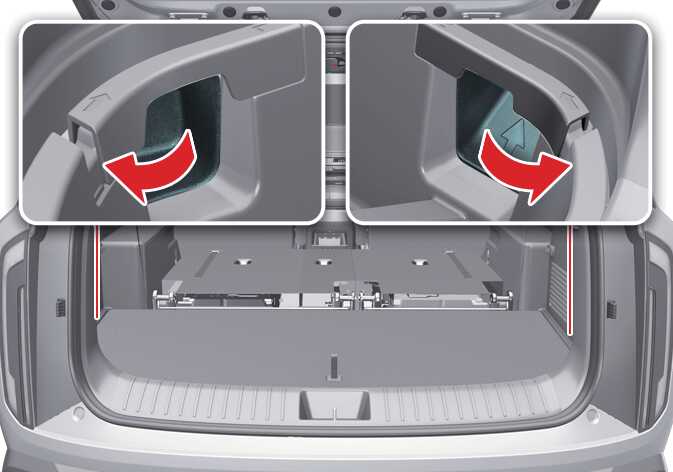
Remove the left and right side of the tray cover trim from the luggage area.
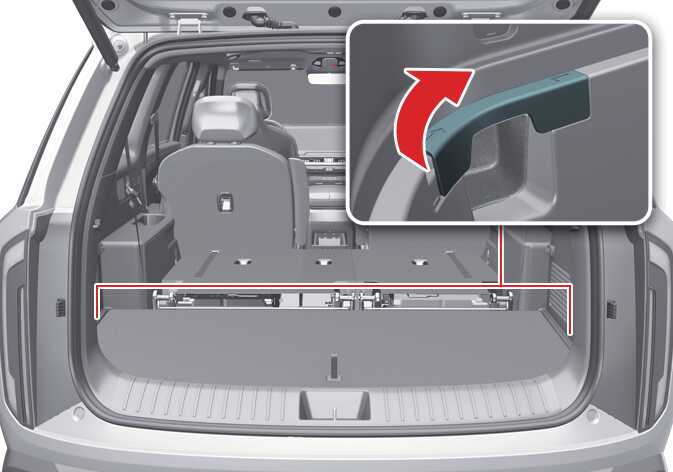 OLQ2A085090
 OLQ2A085056
 -
While pushing the guide pin, pull out the cargo security screen from the luggage tray.
-
Place the cargo security screen to the area between 2nd and 3rd row seats.
-
Install the left and right side trim from the luggage area.
 OLQ2A085092_2
Stowing the cargo security screen
-
Open the luggage tray cover.
OLQ2A085089 -
Remove the left and right side of the tray cover trim from the luggage area.
OLQ2A085090OLQ2A085056 -
While pushing the guide pin, pull out the cargo security screen from the area between 2nd and 3rd row seats.
-
Place the cargo security screen to the luggage tray.
-
Install the left and right side trim from the luggage area.
OLQ2A085092_2