

System components
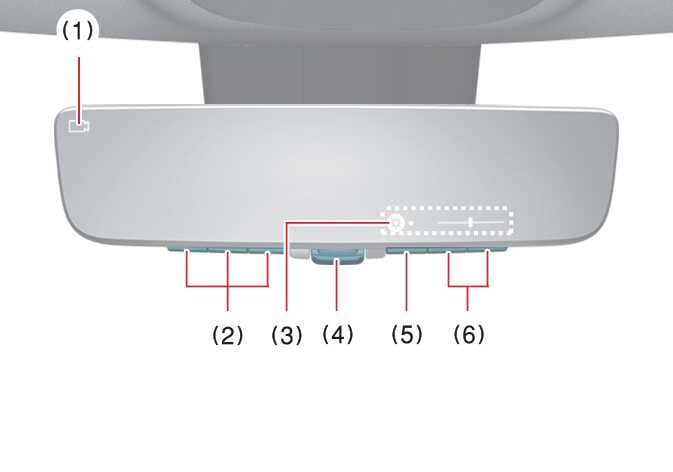 OMQ4A035421 |
-
Camera indicator
Indicates that the camera is operating normally.
-
HomeLink® buttons
For the operation of the HomeLink® Universal Transceiver.
-
Icon display area
Displays icons, adjusting brightness and tilt.
-
Lever
Operate to change between digital mirror mode and optical mirror mode.
-
Menu button
Press to display the icon display area and select the item you want to adjust (Brightness and Tilt).
-
Select/adjust button
Press to change the setting of the item you want to adjust.