

How to change the mode
You can change the mode when the switch is in the ON position.
 OMQ4A035422 |
 OMQ4A035423 |
-
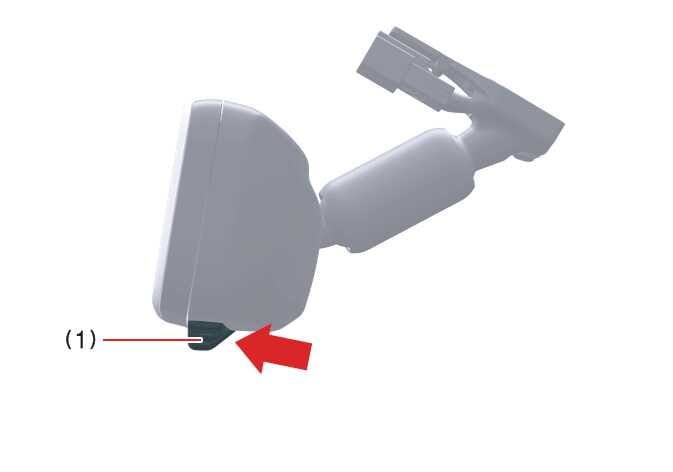
Pull the mode select lever to completely switch to digital center mirror mode (1) (camera view mode).
This displays an image of the area behind the vehicle. In this mode, the camera indicator is shown.
-
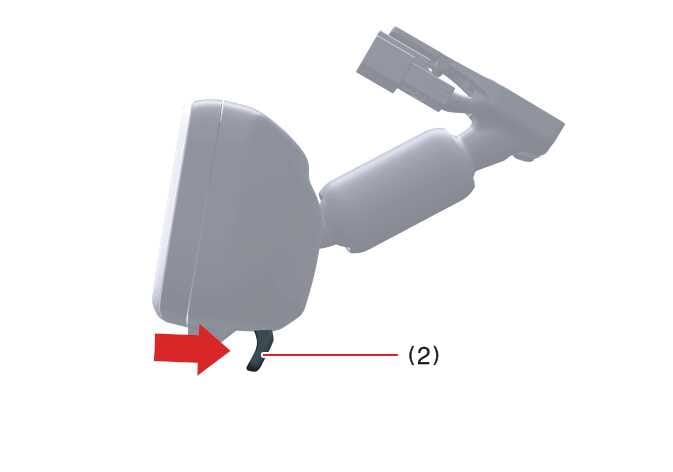
Push the mode select lever to completely switch to optical inside rearview mirror mode (2).
This turns off the digital center mirror’s display and allows it to be used as an optical mirror.
Adjusting the mirror height
 OMQ4A035424 |
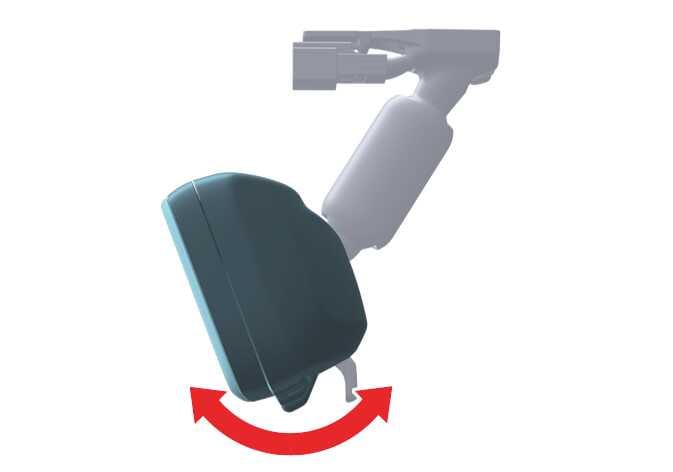
You can adjust the height of the rearview mirror to suit your driving posture.
Change to optical mirror mode and adjust the rearview mirror angle by moving it up or down.
Display settings (digital mirror mode)
 OMQ4A035425 |
-
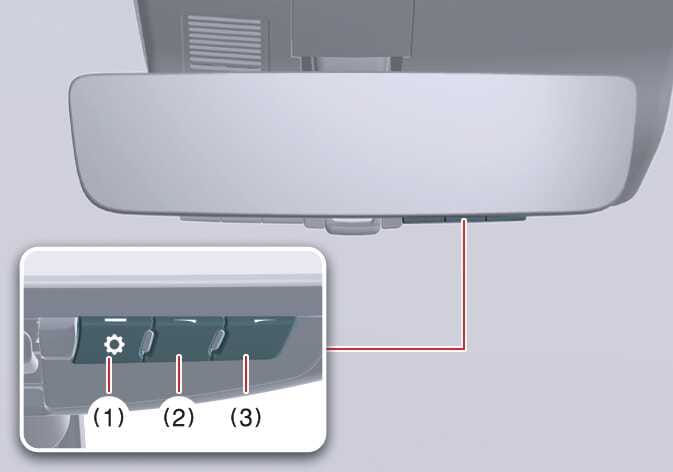
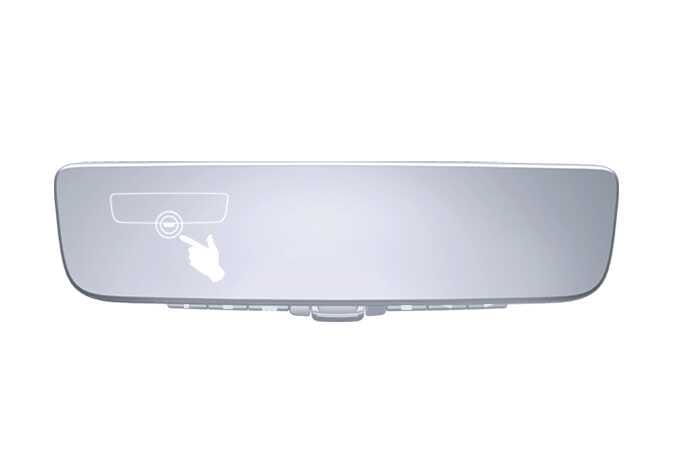
Press the menu button (1). The icons will be displayed.
Icons
Settings

Select to adjust the brightness of the display.

Select to adjust the display up/down.
-
Press the menu button (1) repeatedly and select the item you want to adjust.
-
Press the button (2) or button (3) to change the setting.
The icons will disappear if you do not press the button for approximately 5 seconds or more.
If you set the brightness of the digital center mirror too high, it may cause eye strain.
Adjust the digital center mirror to an appropriate brightness. If your eyes become tired, change it to optical mirror mode.
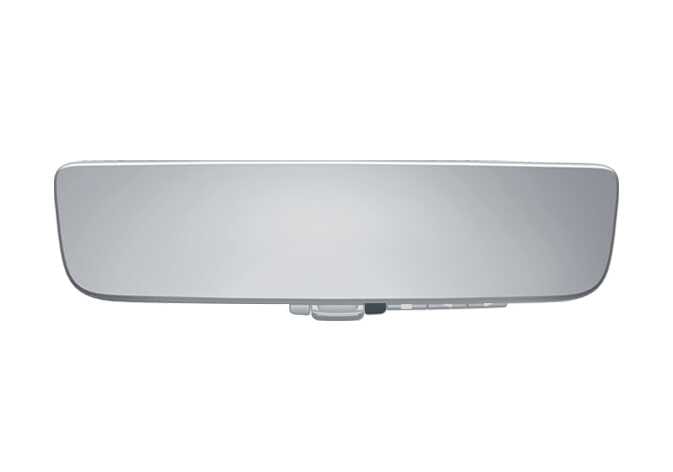 OMQ4A035495 |
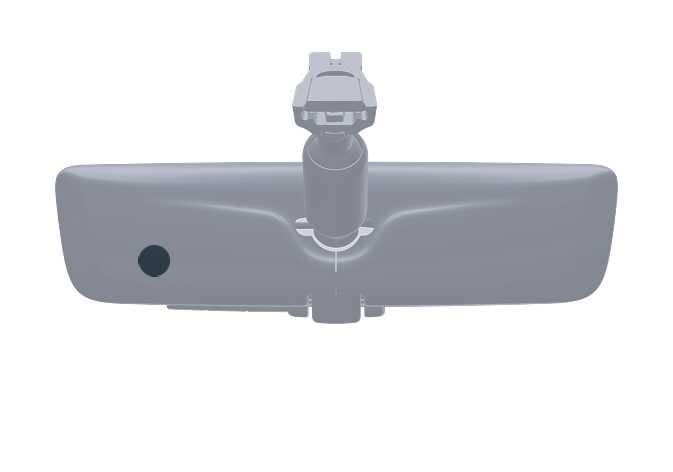 OMQ4A035427 |
To prevent the light sensors from malfunctioning, do not touch or cover them.
Digital mirror mode operating conditions
Digital mirror mode is operational when the ENGINE START/STOP button is in the ON position. When you change the ignition switch to LOCK/OFF or ACC, the rearview camera image will disappear.
When using the digital center mirror in digital mirror mode
-
When the liftgate is open, the digital center mirror image may not display properly. Before driving, make sure the liftgate is closed.
-
If the display is difficult to see due to reflected light, close the sunshade on the sunroof.: (if equipped)
-
Any of the following conditions may occur when driving in the dark and do not indicate that a malfunction has occurred:
-
Colors of objects in the displayed image may differ from their actual color.
-
Depending on your physical condition or age, it may take longer than usual to focus on the displayed image. In this case, change to optical mirror mode.
-
Do not let passengers stare at the displayed image when the vehicle is being driven, as doing so may cause motion sickness.
-
When the system malfunctions
 OMQ4A035428 |
If the symbol shown in the illustration is displayed when using the digital center mirror in digital mirror mode, the system may be malfunctioning. The symbol will disappear in a few seconds. Change the mirror to optical mirror mode and have the vehicle inspected by an authorized Kia dealer.
-
To prevent the digital center mirror from malfunctioning, do not use detergents such as thinner, benzene, or alcohol to clean the mirror. These detergents may discolor, deteriorate, or damage the mirror surface.
-
Do not remove, disassemble, or modify the mirror or camera.
-
Do not allow any organic solvent, vehicle wax, window cleaner, or glass coating to adhere to the camera lens. If this happens, wipe it off as soon as possible.
-
To clean the camera lens, wipe it with a damp soft cloth. Do not rub the camera lens with force, as you may scratch it and the lens will not be able to capture a clear image.
-
Do not subject the camera to a strong impact, as this could cause a malfunction. If this happens, have the vehicle inspected by an authorized Kia dealer as soon as possible.
-
Operating the system in the ON position could discharge the battery.
-
Do not attach an antenna or wireless device near the digital center mirror. Electronic waves from a wireless device may cause a distorted image in digital center mirror.
-
Do not push buttons excessively or operate the lever aggressively. This may cause a system failure or cause the digital center mirror to fall out.
-
Never rotate the body of the digital center mirror by 90° or more. This may damage the digital center mirror. Do not apply strong shocks to the body of the digital center mirror. This may cause a system failure.
-
If it is difficult to see the digital center mirror display screen because of a strong external light, switch the mode to the conventional rearview mirror mode for better use.
Digital center mirror error icon and solutions
|
Symptom |
Likely cause |
Solution |
|---|---|---|
|
The high temp icon ( |
The digital center mirror is extremely hot. In this case, the display will gradually become dimmer. If the temperature continues to increase, the digital center mirror will turn off. |
To reduce the temperature of the mirror, reduce the cabin temperature. The icon will disappear when the mirror becomes cool. If the icon does not disappear even when the mirror is cool, have the vehicle inspected by an authorized Kia dealer. |
|
The display icon ( |
The system is malfunctioning. |
Change to optical mirror mode and have the vehicle inspected by an authorized Kia dealer. |
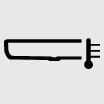 ) appears on the display’s right side.
 ) has switched to the display error icon (
 ).
).