

Enrolling your fingerprint
 OMQ4A035473 |
|
- Turn the vehicle ON.
- Tap on the infotainment system screen.
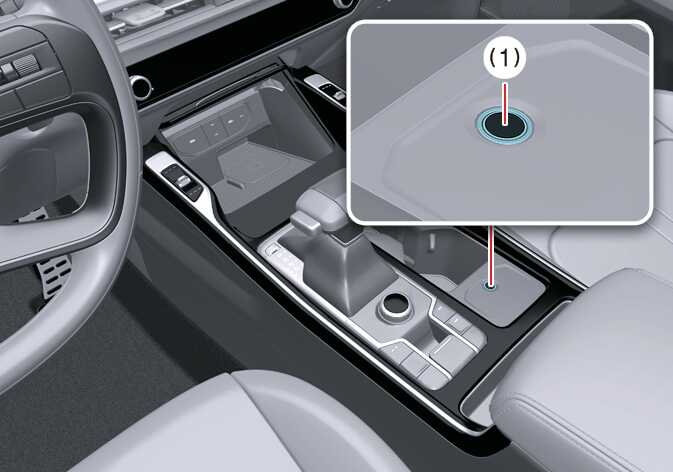
- Gently place the finger that you would like to enroll on the fingerprint sensor (1) according to the instruction. Fingerprint authentication attempts with excessive force may fail.
- Following the instructions, place different parts of your fingerprint on the fingerprint sensor until the scanning process is complete.
- Once the scanning process is complete, the message Saving fingerprint appears, and the fingerprint enrollment process is complete.
When the vehicle completes the fingerprint enrollment process, the infotainment system displays the status.
- The fingerprint enrollment process is canceled when the following conditions occur:
-
You alter the infotainment system screen.
-
You turn the ENGINE START/STOP button ON or OFF.
-
You shift the gear and drive the vehicle.
TIPThe infotainment system may change after software updates. For more information, refer to the manual provided in the infotainment system and the quick reference guide.
-