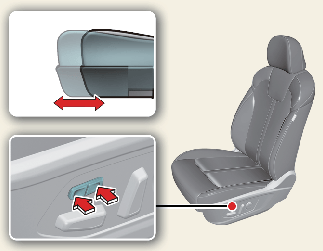
Front seat adjustment for power seat (if equipped)
The driver's seat can be adjusted by using the control switches located on the outside of the seat cushion. Before driving, adjust the seat to the proper position to easily control the steering wheel, pedals and switches on the instrument panel.

Unattended children
Never leave children unattended in a vehicle. Children might operate features of the vehicle that could injure them.

Power seating adjustments
-
The power seating controls function by electronic motor. Excessive operation may cause damage to the electrical equipment.
-
Do not operate two or more power seat control switches at the same time. Doing so may damage the power seat motor or electrical components.
Moving forward and backward
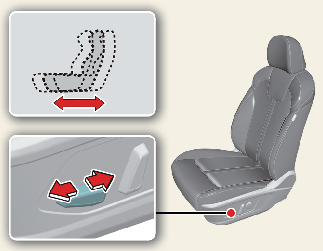
To move the seat forward or backward:
-
Push the control switch forward or backward to move the seat to the desired position.
-
Release the switch once the seat reaches the desired position.
Reclining seatback
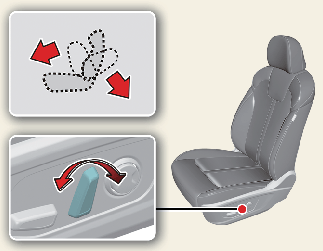
To recline the seatback:
-
Lean forward slightly and lift the seatback recline lever.
-
Carefully lean back on the seat and adjust the seatback of the seat to the position you desire.
-
Release the lever and make sure the seatback is locked in place. (The lever MUST return to its original position for the seatback to lock.)
Changing seat cushion tilt and height
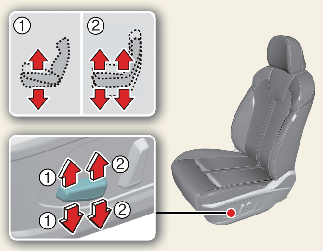
To change the height of the seat:
-
Pull the front portion(1) of the control switch up to raise or press down to lower the front part of the seat cushion.
Pull the rear portion(2) of the control switch up to raise or press down to lower the seat cushion.
-
Release the switch once the seat reaches the desired position.
Adjusting lumbar support (if equipped)
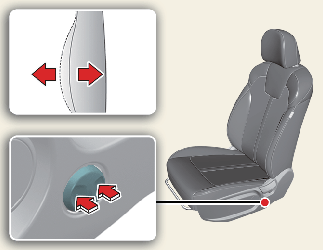
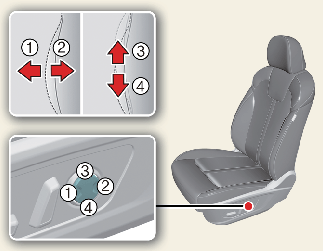
The lumbar support can be adjusted by pressing the lumbar support switch on the side of the seat.
Adjusting cushion extension for driver's seat (if equipped)