

How to check the symbol on the charging label: (if equipped)
|
Vehicle charging INLET |
Charging connector OUTLET |
|---|---|
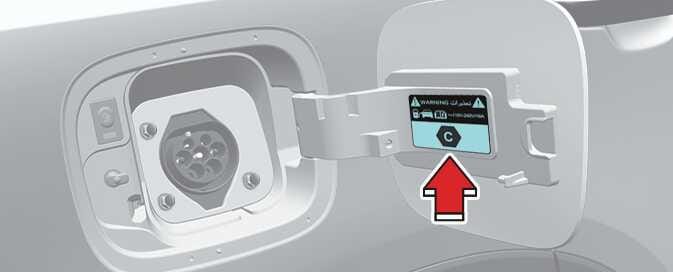 OMQ4PHQ014056L |
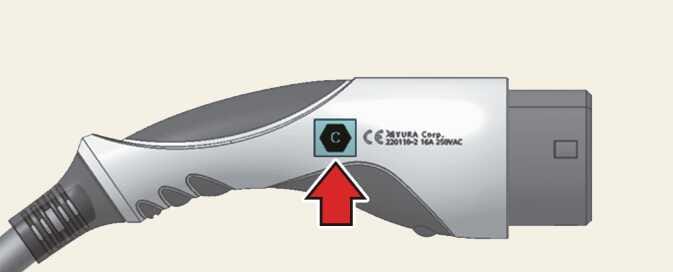 OMQ4PH085015L 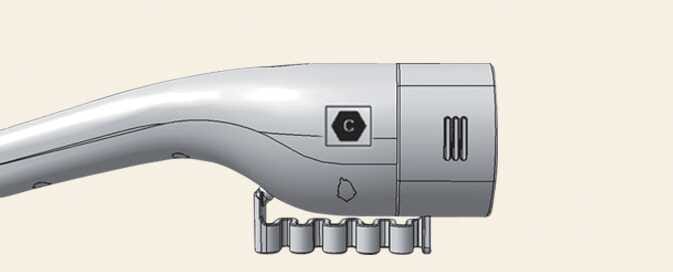 OCVQ011016L  WKIA_323 Symbol location and application example |
 ONQ5EPQ011002L |
|
Vehicle charging INLET |
Charging connector OUTLET |
|---|---|
 OMQ4PH085016L |
 OMQ4PH085005L  WKIA_294 Symbol location and application example |
 OMQ4PH085017L |
Precautions for charging AC and Trickle charger* (Portable charging cable*) (AC charging)
-
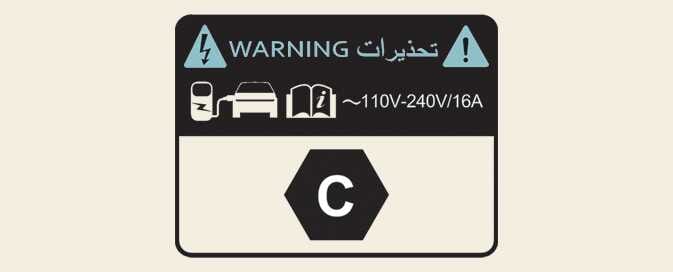
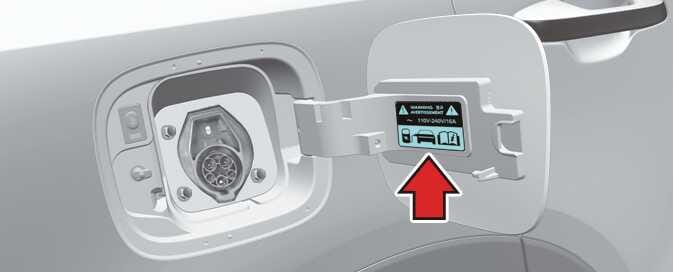
After opening the charging door, check the charging symbol at the bottom of the warning label.
-
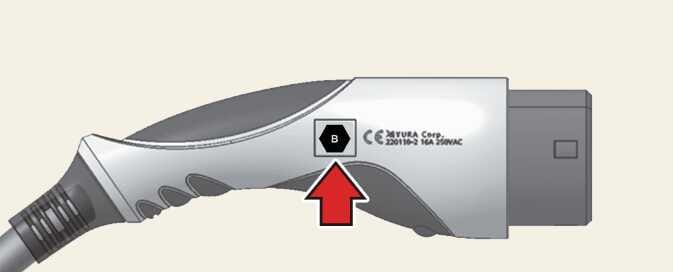
Check the charging connector symbol on the AC and Trickle charger cable.
-
After checking the letter of the charging symbol, proceed to the charging step.
For more information, refer to Electric charging label symbol table.
-
Risk of failure, fire, injury, etc. expected when using the charging connector with unmatched symbol.
*: Depending on your region, this cable might not be provided with your vehicle.
Electric charging label
 OMQ4PH083009L |
 OMQ4PH083010L |
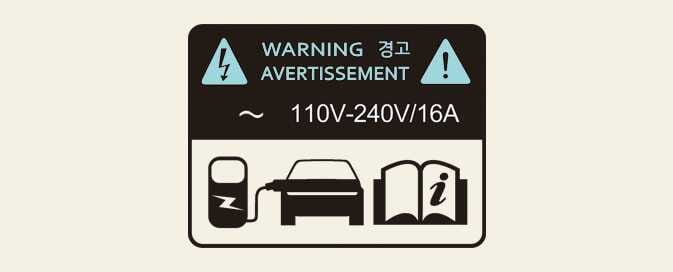
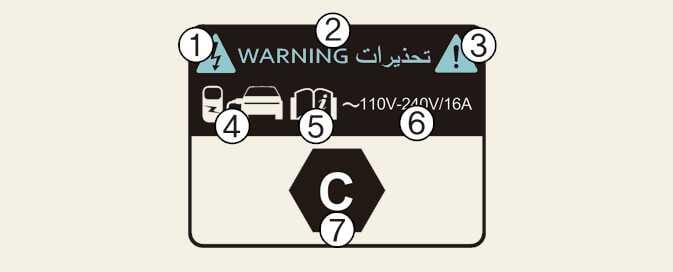
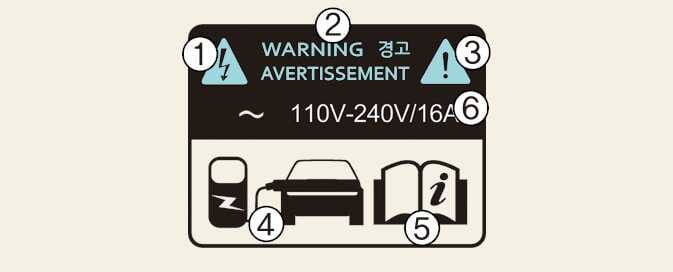
The electric charging label is attached to the charging door.
1–3: Warning for high voltage
4: Identifier for charging door
5: For more details, refer to How to check the symbol on the charging label.
6: Charging voltage and current - ( ) AC single phase.
7: Identifiers for charging type. For more details, refer to Electric charging label symbol table.
Electric charging label symbol table
|
Supply Type |
Configuration |
Type of Accessory |
Voltage range |
Identifier |
|---|---|---|---|---|
|
AC |
7P |
Vehicle connector and inlet |
≤480V RMS |
WKIA_323 |
|
AC |
5P |
Vehicle connector and inlet |
≤250 V RMS |
WKIA_294 |
*: Depending on your region, this cable might not be provided with your vehicle.