

Canceling AUTO HOLD function
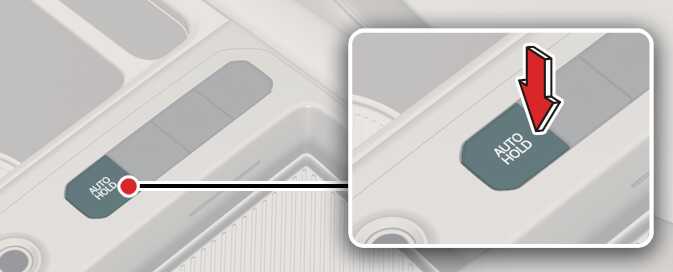
-
To cancel the AUTO HOLD operation, press the AUTO HOLD switch. The AUTO HOLD indicator will turn off.
-
To cancel the AUTO HOLD operation when the vehicle is at a standstill, press the AUTO HOLD switch while depressing the brake pedal.
-
The following are conditions when the AUTO HOLD will not engage (AUTO HOLD light will not turn green and the AUTO HOLD system remains in standby):
-
The shifter dial is in P (Park)
-
The EPB is applied.
-
-
For your safety, the AUTO HOLD automatically switches to EPB under any of the following conditions (AUTO HOLD light remains white and the EPB automatically applies):
-
The vehicle is in a standstill for more than 10 minutes.
-
The vehicle is on a steep slope.
-
The vehicle is moved for a few seconds.
The brakes warning light comes on, the AUTO HOLD indicator changes from green to white, a warning sounds and a message will appear to inform you that EPB has been automatically engaged. Before driving again, press the brake pedal, check your surrounding and release parking brake manually with the EPB switch.
-
-
If the AUTO HOLD indicator lights up yellow, the AUTO HOLD is not working properly. Have the system checked by an authorized Kia dealer.
-
If the vehicle is restarted with the AUTO HOLD button pressed, AUTO HOLD will be in the standby state.
To reduce the risk of an accident, do not activate AUTO HOLD while driving downhill, backing up or parking your vehicle.
If there is a malfunction of the driver's door, hood or liftgate open detection system, the AUTO HOLD may not work properly.
Have the system checked by an authorized Kia dealer.
A click or electric brake motor whine sound may be heard while operating or releasing the EPB. These conditions are normal and indicate that the EPB is functioning properly.