

Locking/unlocking with the smart key
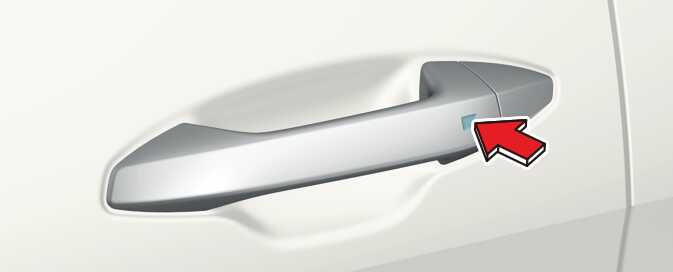
Operation
-
Press the front door handle button (driver's side)
-
Hazard warning lights will blink.
-
Locking: Once
-
Unlocking: Twice
-
Non-operating condition(s)
-
Smart key is in the vehicle.
-
The vehicle is in ACC or ON position.
-
Doors (except tailgate) is opened.
The chime will sound for 3 seconds when the doors are locked.
-
After pressing the button, the doors will lock automatically unless you open any door within 30 seconds.
-
If you want to make sure that a door has locked or not, you should pull the driver side door handle.
-
Make sure the doors are closed securely.
-
If the door is locked/unlocked multiple times in rapid succession with either the vehicle key or door lock switch, the system may stop operating temporarily in order to protect the circuit and prevent damage to system components.
-
Always remove the ignition key, engage the parking brake, close all windows, and lock all doors when leaving your vehicle unattended.
-
Always place the ignition switch or ENGINE START/STOP button in the OFF position, engage the parking brake, close all windows, and lock all doors when leaving your vehicle unattended.
Limitation(s)
-
Smart key is detected within 0.7~1 m radius (28~40 inches).