

Blind-spot safety
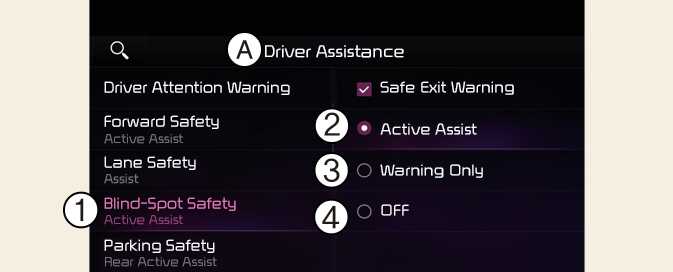
A: Driver assistance
-
Blind-spot safety
-
Active Assist
-
Warning only
-
Off
With the vehicle on, select or deselct Driver assistance → Blind-spot safety from the Settings menu to set whether or not to use each function.
-
Active Assist: Blind-Spot Collision-Avoidance Assist will warn the driver with a warning message, an audible warning, steering wheel vibration (if equipped) and braking assist will be applied depending on the collision risk levels.
-
Warning only: Blind-Spot Collision-Avoidance Assist will warn the driver with a warning message, an audible warning and steering wheel vibration (if equipped) depending on the collision risk levels. Braking will not be assisted.
-
Off: Blind-Spot Collision-Avoidance Assist will turn off.
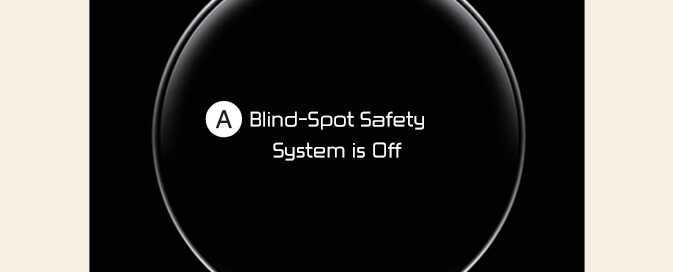
A: Blind-Spot Safety System is Off
When the vehicle is restarted with Blind-Spot Collision-Avoidance Assist off, the Blind-Spot Safety System is Off message will appear on the cluster.
If you change the setting from Off to Active Assist or Warning only, the warning light on the outside rear view mirror will blink for three seconds.
In addition, if the vehicle is turned on, when Blind-Spot Collision-Avoidance Assist is set to Active Assist or Warning only, the warning light on the outside rear view mirror will blink for three seconds.
-
If Warning only is selected, braking is not assisted.
-
If Off is selected, the driver should always be aware of the surroundings and drive safely.
If the vehicle is restarted, Blind-Spot Collision-Avoidance Assist will maintain the last setting.