

Camera settings
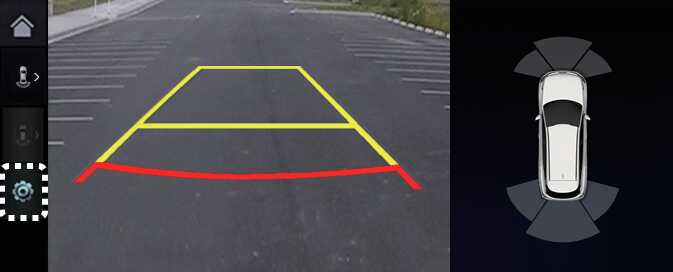
ONQ5042280L
With the vehicle on, select the setup icon (
 ) on the screen or
Settings →
Vehicle →
Driver assistance →
Parking safety →
Camera settings from the infotainment system screen to change the Rear View Monitor settings.
) on the screen or
Settings →
Vehicle →
Driver assistance →
Parking safety →
Camera settings from the infotainment system screen to change the Rear View Monitor settings.
-
Display Contents: To change the settings of Extended Rear View Monitor and Rear View Parking Guidance Lines.
-
Display Settings: To change the screen's brightness and contrast.: (if equipped)
NOTE
-
The horizontal guideline shows the distance of 0.5 m (1.6 ft.), 1 m (3.3 ft.) and 2.3 m (7.6 ft.) from the vehicle.
-
The horizontal scale of rear top view paring guide indicates the tailgate opening distance, 1.5 m from the vehicle.