

Front view
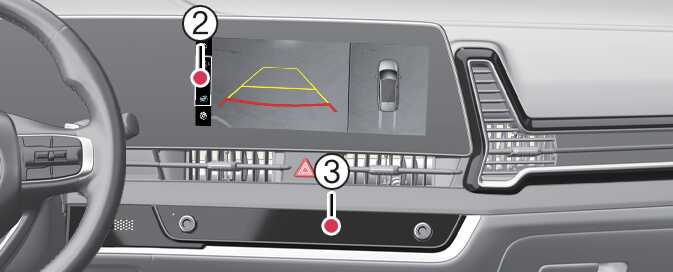
Front view function is displayed on the screen when the gear is in N (Neutral) or D (Drive) to assist in parking. The front view has a top view, front view, and side view. Also, other view modes can be selected by pressing the view icons (2) on the Surround View Monitor screen.
Operating conditions
Front view function will turn on when the following conditions are satisfied:
-
Shifting from R (Reverse) to N (Neutral) or D (Drive) and the vehicle speed is below approximately 10 km/h (6 mph).
-
Pressing the Parking/View button (1) when the gear is in D (Drive) or N (Neutral) and vehicle speed is below 10 km/h (6 mph).
-
Forward Parking Distance Warning warns the driver while driving in D (Drive) ( Driver assistance → Parking safety → Surround view monitor auto On selected from the Settings menu)
Off conditions
Front view function will turn off when the following conditions are satisfied:
-
Press the Parking/View button (1) or the infotainment system button (3).
-
When vehicle speed is above 10 km/h (6 mph).
-
Press one of the infotainment system button (3), the screen will change to the infotainment system screen.
-
Shifting to P (Park).
If Surround View Monitor is turned off after driving more than 10 km/h (6 mph), driving below 10 km/h (6 mph) again will not switch to the Surround View Monitor screen.