

Setting speed limit
-
Press and hold Driving Assist (
 ) button at the desired speed. The Speed Limit (
 ) indicator will appear on the cluster.
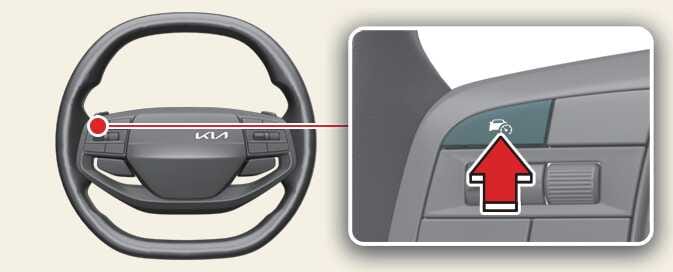 ONQ5H054041
 -
Push the (+) switch up or (-) switch down, and release it at the desired speed. The set speed will increase by 1 km/h (1 mph) each time the switch is operated in this manner.
Push the (+) switch up or (-) switch down and hold it. The speed will increase or decrease to by multiple of 10km/h (5 mph).
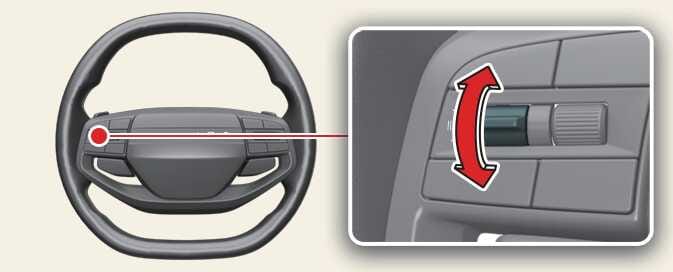 ONQ5H054042
 -
The set speed limit will be displayed on the cluster.
If you would like to drive over the preset speed limit, depress the accelerator pedal.
The set speed limit will blink and chime will sound until you return the vehicle speed within the speed limit.
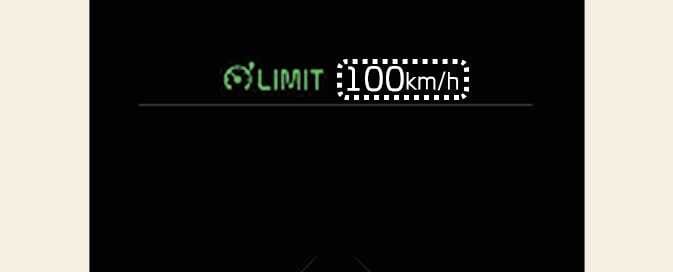 ODL3053132L
To drive faster than the set speed limit, press the accelerator pedal deeply until the kickdown function activates.