
Lane Following Assist settings
Warning Methods
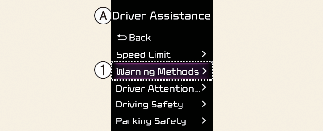
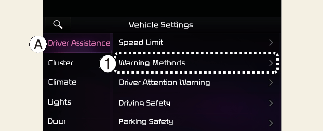
A: Driver Assistance
-
Warning Methods
The Warning Methods can be set with the vehicle on. Select User Settings → Driver Assistance → Warning Methods from the settings menu in the instrument cluster or Setup → Vehicle → Driver Assistance → Warning Methods from the settings menu in the infotainment system to change the following settings:
-
Warning Volume: Adjusts the volume of the warning sound.
If you turn off the Warning Volume, for your safety, the function may warn you with a low volume.
-
Driving Safety Priority: Lowers all other audio volumes when the Driving Safety system sounds a warning.

-
If you change the Warning Methods, it can be applied to each function of the driver assistance system. Please check and change it in each function.
-
If the vehicle is restarted, Warning Methods will maintain the last setting.
-
The setting menu may not exist based on vehicle specification.

When the trailer connector is connected electrically, Lane Following Assist automatically turns off. In this case, you cannot get help from Lane Following Assist. Always drive with care. (if KIA genuine part equipped)