
Navigation-based Smart Cruise Control settings
Highway Auto Speed Change
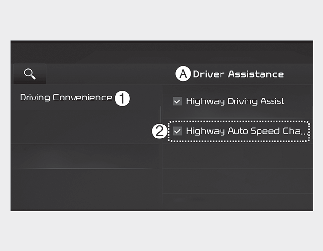
A: Driver Assistance
-
Driving Convenience
-
Highway Auto Speed Change
With the vehicle on, select Settings → Vehicle → Driver Assistance → Highway Auto Speed Change on the infotainment system.

CAUTION
When the trailer is connected, Lane Keeping Assist automatically turns off (if equipped). In this case, you cannot get help from Forward Collision-Avoidance Assist. Always drive with care.

NOTICE
When there is a problem with Navigation-based Smart Cruise Control, the function cannot be set from the Settings menu.