

Warning Methods
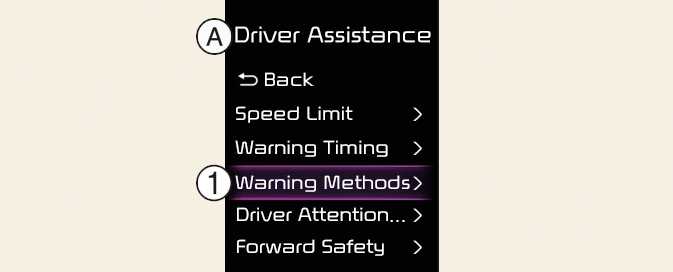
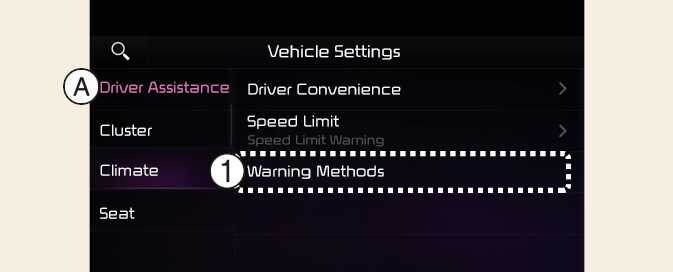
A: Driver Assistance
-
Warning Methods
The Warning Methods can be set with the vehicle on. Select User Settings → Driver Assistance → Warning Methods from the settings menu in the instrument cluster or Setup → Vehicle → Driver Assistance → Warning Methods from the settings menu in the infotainment system to change the following settings:
-
Warning Volume: Adjusts the volume of the warning sound.
-
Haptic Warning: Activate the steering wheel vibration warning. (if equipped)
-
Lane Safety Audible Warning Off: Turns off the Lane Safety Audible Warning, even when both warning volume and haptic warning are on. (if equipped)
-
Driving Safety Priority: Lowers all other audio volumes when the Driving Safety system sounds a warning.
-
If you change the Warning Methods, it can be applied to each function of the driver assistance system. Please check and change it in each function.
-
If the vehicle is restarted, Warning Methods will maintain the last setting.
-
The setting menu may not exist based on vehicle specification.
-
The Warning Volume and Haptic Warning cannot be turned off at the same time. When one warning is turned off the other is activated.
-
The Lane Safety Audible Warning Off can be set when both the Warning Volume and the Haptic Warning are on.