

Using a Bluetooth audio device
You can listen to music stored in the connected Bluetooth audio device via your vehicle’s speakers.
-
On the control panel, press the [ AUDIO] button.
-
When the mode selection window displays, turn the [ TUNE] knob to select Bluetooth audio and then press the knob.
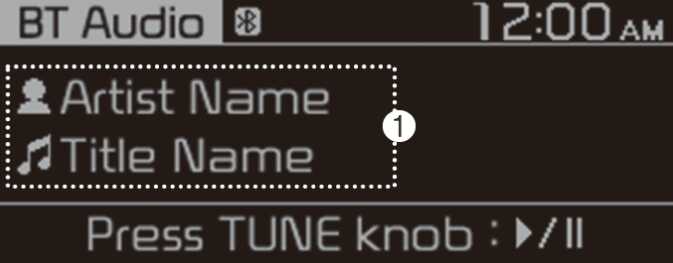
-
Information about the song currently playing
Press the [ MENU/CLOCK] button on the control panel to access the following a menu option.
-
Sound settings: You can change the settings related to sounds, such as location where sound will be concentrated and the output level for each range.
-
Position: Select a location where sound will be concentrated in the vehicle. Select Fade ( Fader) or Balance, turn the [ TUNE] knob to select the desired position, and then press the knob. To set sound to be centred in the vehicle, select Centre ( Center).
-
Equaliser ( Tone): Adjust the output level for each sound tone mode.
-
Sound experience: (if equipped)
select the location where sound is focused in the vehicle between the driver's seat and all other seats.
-
Speed dependent vol.: Set the volume to be adjusted automatically according to your driving speed.
NOTE-
Depending on vehicle models or specifications, available options may vary.
-
Depending on the system or amplifier specifications applied to your vehicle, available options may vary.
-
-
-
Mode popup: Set to display mode selection window when the [ AUDIO] button is pressed on the control panel.
-
Date/Time: You can change the date and time that are shown on the system display.
-
Set date: Set date to display on the system display.
-
Set time: Set time to display on the system display.
-
Time format: Select to display time in the 12 hour format or the 24 hour format.
-
Display ( Power Off): Set to display the clock when the system power is off.
-
-
Language: You can change the display language.