

With the smart key
With the smart key, you can lock and unlock the vehicle doors and liftgate. You can also start the engine. Refer to the following sections for more details.
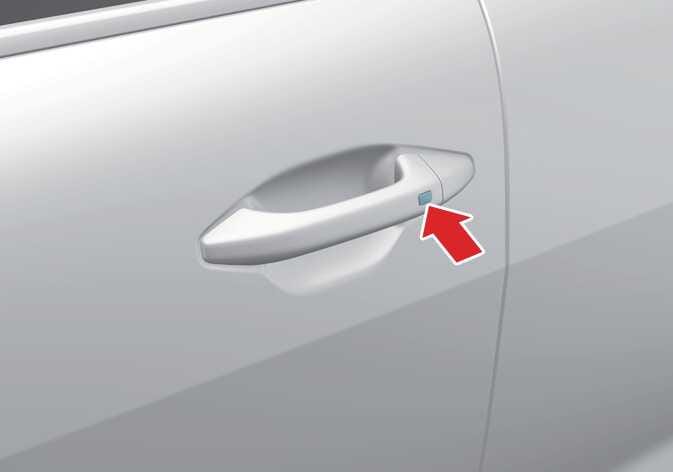 OCL4M035014N |
Locking
With all doors closed and any door unlocked, press the button of the front door handle or touch the sensing area of the front door handle to lock all the doors. If all doors and the engine hood are closed, the hazard warning lights will blink once to indicate that all doors are locked.
Unlocking
Press the butto of the front door handlen or touch the sensing area of the front door handle to unlock all the doors. The hazard warning lights blink twice to indicate that all doors are unlocked.
-
The door handle button will only operate when the smart key is within 40 inches (1 m) of the outside door handle.
-
If you try to lock the doors using the door handle button or sensing area of the front door handle, the doors will not lock, and the chime will sound for 3 seconds under the following circumstances:
-
The smart key is in the vehicle.
-
The vehicle is in the ACC or ON position.
-
Any door other than the liftgate is open.
After you press the door lock/unlock button or touch the sensing area of the front door handle to unlock, the doors will lock automatically unless you open any door within 30 seconds.
-