

Manual mode
In manual mode, moving the shift lever forward or backward allows quick gear changes. Unlike manual transmission, gearshifts can be made even while the accelerator pedal is depressed.
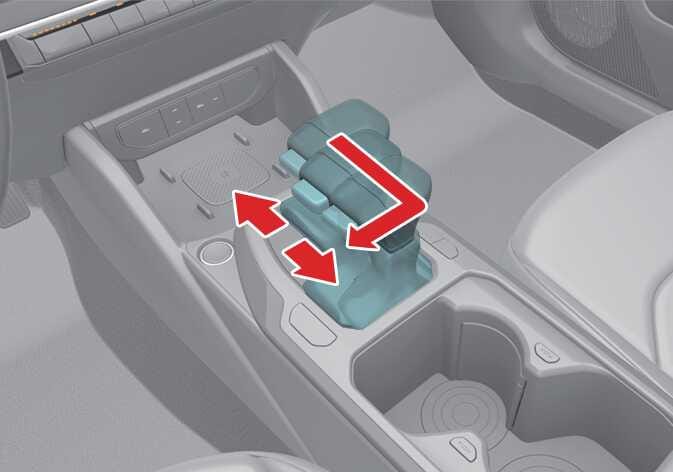 OCL4M045015N |
Select manual mode by pushing the gear shift lever from D (Drive) into the manual gate. To return to D (Drive) range operation, push the gear shift lever back into the main gate.
In manual mode, moving the shift lever back and forth allows you to shift gears rapidly. Unlike a manual transmission, manual mode allows you to shift gears while engaging the accelerator pedal.
-
Up (+): Push the lever forward once to shift up 1 gear.
-
Down (-): Pull the lever backward once to shift down 1 gear.
-
Shift the gear upward according to the driving conditions, taking care to keep the engine speed (rpm) appropriately.
-
To reverse or park your vehicle, move the gear shift lever to R (Reverse) or P (Park) as required.
-
The gear shifts down automatically when you slow down your vehicle. When you stop your vehicle, the 1st gear is selected automatically.
-
When the engine speed (rpm) is too high, the gear shift points are varied to shift up automatically.
-
To maintain the required levels of vehicle performance and safety, the system may not execute certain shifts between gears when you operate the gear shift lever.
-
When driving on a slippery road, push the gear shift lever forward into the Up (+) position so that the transmission shifts up 1 gear, which helps with smooth driving on slippery roads. To shift back, push the gear shift lever into Down (-) position.