

Launch control
Launch control optimizes a vehicle’s acceleration from a stationary position.
Setting
-
in the infotainment system screen.
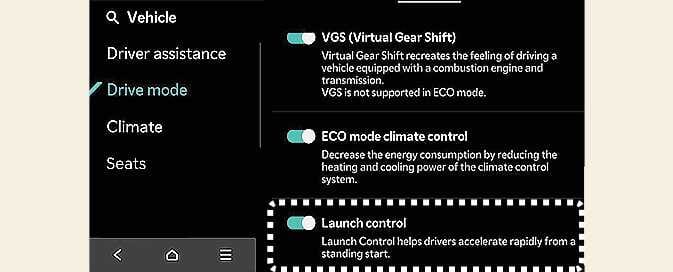 OCV044047L
 -
Prerequisites for activation:
-
Driving mode: GT mode (or MY DRIVE mode: Sport+)
-
ESC SPORT or OFF position, shift to D (Drive)
-
Select in the infotainment system screen.
-
-
Steering wheel: Wheel alignment
-
Warning lights: None
-
Wheel speed: Normal
-
Motor temperature: Normal
-
-
When you have satisfied the operating conditions, engage the brake pedal to a certain degree, then lightly engage the accelerator pedal to operate the Launch Control function.
'Launch Control Ready' message will appear on the cluster once Launch Control is ready to activate.
 OCV044050L
 -
Pre-torque* automatically initiates once it is ready.
Pre-torque: Torque is responsible for making your vehicle accelerate quickly from a stationary position.
-
Release the brake pedal within 8 seconds of activating Launch Control, then start driving.
-
Launch Control will be canceled once you release the accelerator pedal.
-
If you want to use Launch Control again, you must cool down the vehicle for more than 2 minutes. (If the ready state exceeds 8 seconds, it is considered as used.)
-
The Launch Control function is limited when Speed Limit Assist is operating or the motor control unit is overheated.