

Warning Methods
 OMQ4053189L |
|
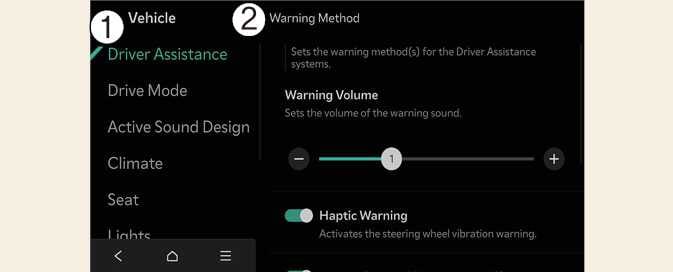
To change the Warning Methods settings while the vehicle is ON, tap on the infotainment system screen. You can change the following settings:
-
Warning Volume: Adjusts the volume of the warning sound. If you turn OFF the Warning Volume setting, the function may still warn you at a low volume for your safety.
When the trailer is connected, Remote Smart Parking Assist automatically turns off (if equipped). In this case, you cannot get help from Remote Smart Parking Assist. Always drive with care
-
Your Warning Methods settings may apply to the Warning Methods of other driver assistance systems.
-
Warning Methods maintain their last settings when you turn OFF and restart the vehicle.
-
The Warning Methods setting menu may not be available on all vehicles.