

Turning Lane Keeping Assist On/Off
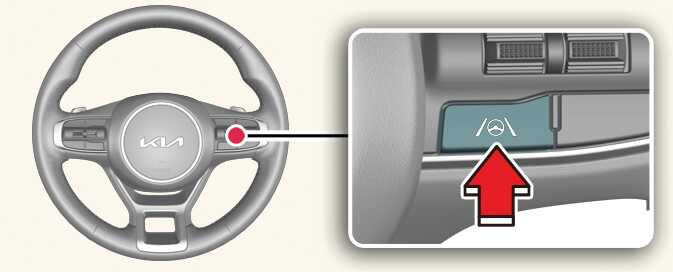
ONQ5041028
Except Europe, Australia, Russia
With the vehicle on, press and hold the Lane Driving Assist button located on the steering wheel to turn on Lane Keeping Assist. The grey or green (
 ) indicator light will appear on the cluster.
Press and hold the button again to turn off the function.
If the vehicle is restarted, Lane Keeping Assist will maintain the last setting.
For Europe, Australia, Russia
Whenever the vehicle is turned on, Lane Keeping Assist will always turn on. The grey (
 ) indicator light will appear on the cluster.
When Lane Keeping Assist is on, press and hold the Lane Driving Assist button to turn off the function.
NOTE
When Lane Keeping Assist is turned off with the Lane Driving Assist button, the Lane Safety setting also changes to Off.