

1. Getting ready to remotely move forward and backward
There are two ways to operate Remote Operation function.
Method (1): Using the function with vehicle off
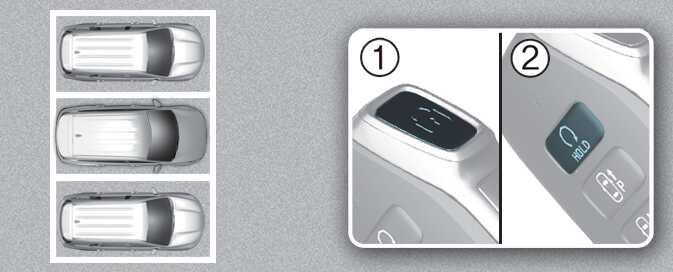
-
Within a certain range from the vehicle press the door lock (
 ) button on the smart key and lock all doors.
-
Press and hold the Remote Start button (
 ) within 4 seconds until the vehicle starts.
For more details on remotely starting the vehicle, refer to Locking/unlocking with the smart key and Starting the vehicle remotely.
Method (2): Using the function with vehicle on
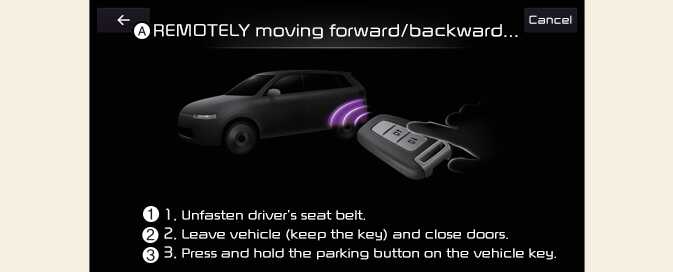
A: REMOTELY moving forward/backward...
-
1. Unfasten driver´s seat belt.
-
2. Leave car (keep the key) and close doors.
-
3. Press and hold PARKING button on car key.
-
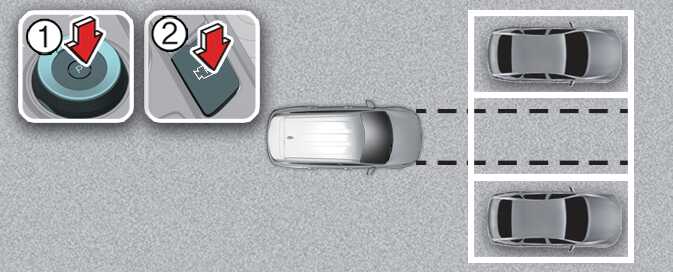
Park the vehicle in front of the space where you want to use Remote Operation function, and shift the gear to P (Park).
-
Press and hold the Parking/View (
 ) button to turn on Smart Parking Assist. A message
Under REMOTE control will appear on the infotainment system screen.
) button to turn on Smart Parking Assist. A message
Under REMOTE control will appear on the infotainment system screen.
-
Get out of the vehicle with the smart key and close all doors.
Agree must be selected on the infotainment system screen and the infotainment system has to operate properly to use Remote Operation function.