

Turning Lane Keeping Assist On/Off
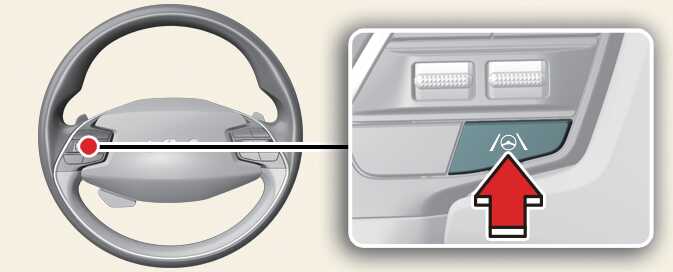
OSG2H051029
-
With the vehicle ON, press and hold the Lane Driving Assist button to turn on/off Lane Keeping Assist. If Lane Keeping Assist is activated, the gray or green indicator (
 ) will be displayed on the cluster.
NOTE
-
When the Lane Driving Assist button is pressed shortly, Lane Following Assist will turn on and off.
-
Whenever the vehicle is turned off and on, Lane safety settings will always retain its settings.