

Turning Lane Keeping Assist On/Off
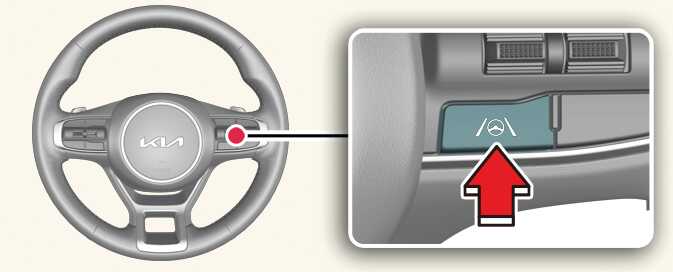
ONQ5041028
With the vehicle on, press and hold the Lane Driving Assist button located on the steering wheel to turn on Lane Keeping Assist. The gray (
 ) indicator light will appear on the cluster.
Press and hold the button again to turn off the function.
NOTE
-
When Lane Keeping Assist is turned off with the Lane Driving Assist button, the Lane Safety setting also changes to Off.
-
If the vehicle is restarted, Lane Keeping Assist will maintain the last setting.