
Intelligent Speed Limit Warning setting
Setting features
Speed limit
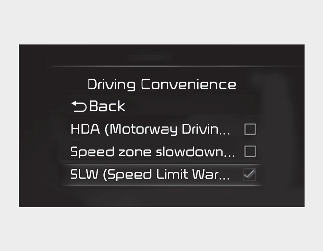
With the ignition switch or ENGINE START/STOP button in the On position, select 'Settings → Driver Assistance → Speed Limit Warning' on the instrument cluster or 'Settings → Vehicle → Driver Assistance → Speed Limit Warning' on the infotainment system to set whether to use each function.
-
If 'Speed Limit Warning' is selected, Intelligent Speed Limit Warning will inform the driver of speed limit. In addition, the function will warn the driver when the vehicle is driven faster than the speed limit.