

Using options during a call
During active call, you will see the call screen shown below. Press a button to perform the function you want.
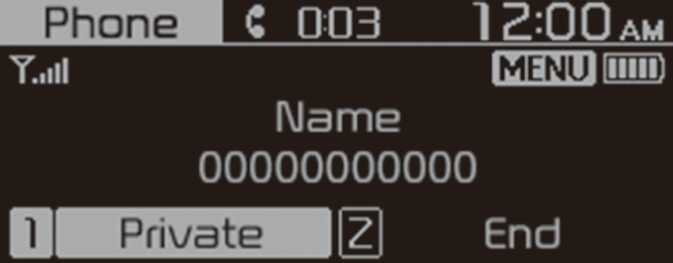
To switch the call to your mobile phone, press the [ 1 RPT] button on the control panel.
-
Alternatively, press and hold the Call/Answer button on the steering wheel.
Press [ 1 RPT] again during private mode to change call from private mode to Use hands-free.
To end the call, press the [ 2 SHFL] button on the control panel.
-
Alternatively, press the Call end button on the steering wheel.
Press the [ MENU/CLOCK] button on the control panel to access the following a menu option:
-
Microphone Volume ( Outgoing Volume): Adjust the microphone volume or turn off the microphone so the other party cannot hear you.
-
If the caller information is saved in your contacts list, the caller’s name and phone number will be displayed. If the caller information is not saved in your contacts list, only the caller’s phone number will be displayed.
-
You cannot switch to any other screen, such as the audio screen or the settings screen, during a Bluetooth call.
-
Depending on the mobile phone type, call quality may vary. On some phones, your voice may be less audible to the other party.
-
Depending on the mobile phone type, the phone number may not be displayed.
-
Depending on the mobile phone type, the call switching function may not be supported.