
Intelligent Speed Limit Assist operation
Warning and control
Intelligent Speed Limit Assist is warned and controlled by the following level.
-
Displaying speed limit
-
Speeding warning
-
Changing set speed
-
Auto set speed change
Displaying speed limit
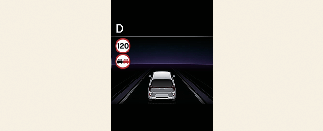
Speed limit information is displayed on the instrument cluster.

-
If speed limit information of the road cannot be recognized, '---' sign will be displayed. Please refer to More Details if the road signs are difficult to recognize.
-
Intelligent Speed Limit Assist provides additional road sign information in addition to speed limit. The additional road sign information provided may vary according to your country.
-
Supplementary sign displayed under the speed limit or overtaking restriction sign means the conditions under which the signs must be followed. If the supplementary sign is not recognized, it is displayed as blank. (for Europe)
-
The images and colors in the instrument cluster may differ depending on the cluster type or theme selected from the settings menu.
Speeding warning
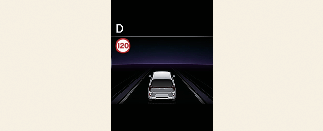
If you exceed the displayed speed limit, the sign will blink and an audible warning will be triggered.
Changing set speed
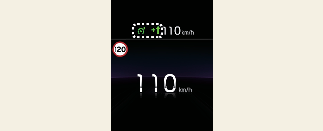

During the operation of Manual Speed Limit Assist, if the speed limit of the road changes, an arrow pointing up or down is displayed to indicate the need to change the set speed. Raise or lower the (+) or (-) switch in the arrow direction to adjust the set speed according to the speed limit.
Auto set speed change (if equipped)
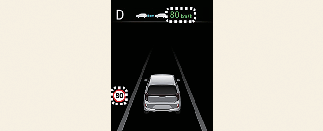
During the operation of Manual Speed Limit Assist, if the driver adjusts the set speed to match the speed limit of the road, the Automatic Set Speed Adjustment function is activated, and the set speed on the cluster is displayed in green. Subsequently, the set speed is automatically adjusted to match any changes in the speed limit.
Auto set speed change will be activated in the following conditions.
-
Roads with speed limits above 70 km/h (45 mph).