

How to deactivate the smart trunk with auto open function using the smart key
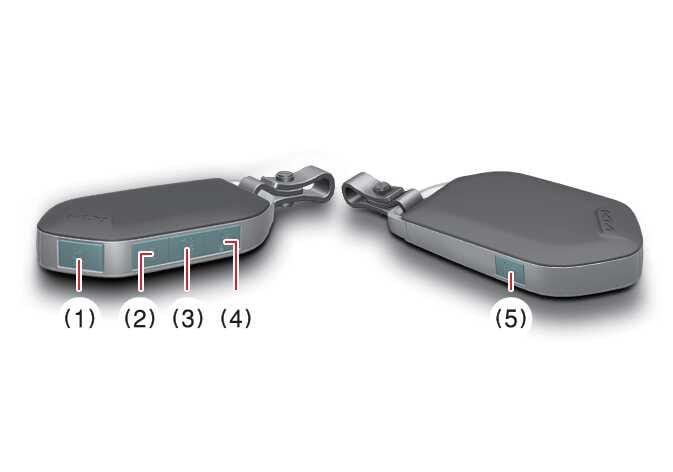 OCL4M035004N |
|





If you press any button on the smart key during the Detect and Alert stage, the smart trunk with AUTO open function will deactivate.
Make sure you know how to deactivate the smart trunk with AUTO open function for emergency situations.
-
If you press the door unlock button (2), the smart trunk with AUTO open function will deactivate temporarily. But if you do not open any door for 30 seconds, the smart trunk with AUTO open function will activate again.
-
If you press the trunk open button (3) for more than 1 second, the trunk will open.
-
If you press the door lock button (1) or trunk open button (3) when the smart trunk with AUTO open function is not in the Detect and Alert stage, the smart trunk with AUTO open function will not deactivate.
-
If you have deactivated the smart trunk with AUTO open function by pressing the button on the smart key and opening a door, you can reactivate the Smart Liftgate with Auto Open function by closing and locking all doors.