

User settings mode
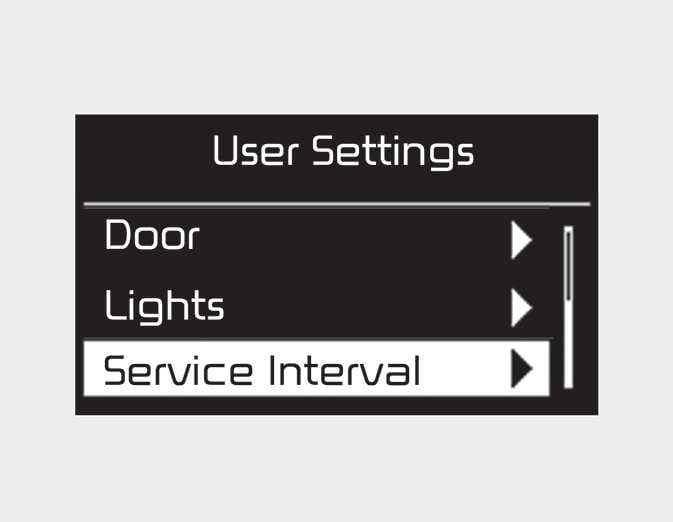
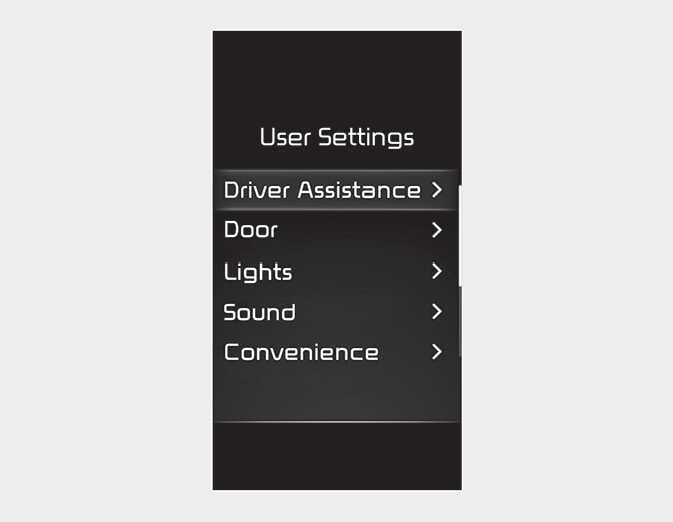
In this mode, you can change the settings of the instrument cluster, doors, lamps, etc.
-
Driver Assistance (Type C)
-
Door
-
Lights
-
Sound (Type C)
-
Convenience (Type C)
-
Service Interval
-
Theme Selection
-
Other
-
Language
-
Reset
The information provided may differ depending on which functions are applicable to your vehicle.
This warning message appears if you try to adjust the User Settings while driving.
-
Automatic Transmission
For your safety, change the User Settings after parking the vehicle, applying the parking brake and moving the shift lever to P (Park).
-
Manual Transmission
For your safety, change the User Settings after engaging the parking brake.
This warning message appears if you try to adjust the User Settings while driving.
-
Automatic Transmission
For your safety, change the User Settings after parking the vehicle, applying the parking brake and moving the shift lever to P (Park).
-
Automated Manual Transmission/Manual Transmission
For your safety, change the User Settings after engaging the parking brake.
|
Items |
Explanation |
|
|---|---|---|
|
Warning Timing |
To select the Warning timing |
|
|
Warning Volume |
To select the Warning volume |
|
|
Driver Attention Warning |
To select the function. For more details, refer to Driver Attention Warning (DAW). |
|
|
Forward Safety |
To select the functions. For more details, refer to Forward Collision-Avoidance Assist (FCA) (Front radar)/ Forward Collision-Avoidance Assist (FCA) (Sensor fusion). |
|
|
Lane Safety |
To select the functions. For more details, refer to Lane Keeping Assist (LKA). |
|
|
Blind-Spot Safety |
To select the function. For more details, refer to Blind-Spot Collision Warning (BCW)/ Blind-Spot Collision-Avoidance Assist (BCA). |
|
|
Parking safety |
To Activate or deactivate Rear Cross-Traffic Collision-Avoidance Assist. For more details, refer to Rear Cross-Traffic Collision Warning (RCCW)/ Rear Cross-Traffic Collision-Avoidance Assist (RCCA). |
|
The information provided may differ depending on which systems are applicable to your vehicle.
|
Items |
Explanation |
|---|---|
|
Auto Lock |
|
|
Auto Unlock |
|
The information provided may differ depending on which systems are applicable to your vehicle.
|
Items |
Explanation |
|
|---|---|---|
|
One Touch Turn Signal |
For more details, refer to Lighting. |
|
|
Headlight Delay |
If this item is checked, the head lamp delay function will be activated. |
|
The information provided may differ depending on which functions are applicable to your vehicle.
|
Items |
Explanation |
|---|---|
|
Welcome Sound |
|
The information provided may differ depending on which functions are applicable to your vehicle.
|
Items |
Explanation |
|---|---|
|
Icy Road Warning |
|
The information provided may differ depending on which functions are applicable to your vehicle.
|
Items |
Explanation |
|
|---|---|---|
|
Enable Service Interval |
|
|
|
Adjust Interval |
|
|
|
Reset |
|
|
|
Items |
Explanation |
|
|---|---|---|
|
Theme Selection |
To select the theme of instrument cluster LCD. |
|
The information provided may differ depending on which functions are applicable to your vehicle.
|
Items |
Explanation |
|
|---|---|---|
|
Fuel Econ. Reset |
|
|
|
Fuel Econ. Unit |
To select the Fuel economy unit. |
|
|
Temperature Unit |
To select the Temperature unit. |
|
The information provided may differ depending on which functions are applicable to your vehicle.
|
Items |
Explanation |
|
|---|---|---|
|
Language |
To select language. |
|
|
Items |
Explanation |
|
|---|---|---|
|
Reset |
You can reset the menus in the User Settings mode. All menus in the User Settings mode are reset to factory settings, except language and service interval. |
|