
LCD display messages
Door, hood, liftgate, sunroof open

-
This warning is displayed indicating which door, the hood, the liftgate or the sunroof is open.
Low pressure warning display
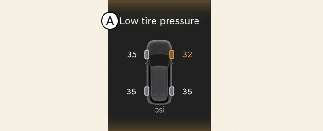
A: Low tire pressure
This warning message is displayed if the tire pressure is low. The corresponding tire on the vehicle will appear.
* For more details, refer to More Details.
Lights mode

A: Lights
This indicator displays which exterior light is selected using the lighting control.
Wiper mode
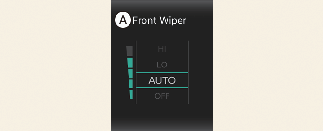
A: Front Wiper
This indicator displays which wiper speed is selected using the wiper control.
Low washer fluid
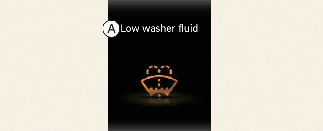
A: Low washer fluid
This warning message is displayed if the washer fluid level in the reservoir is nearly empty.
Refill the washer fluid reservoir.
Icy road warning
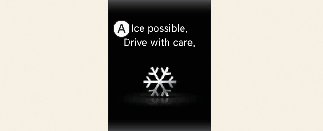
A: Ice possible. Drive with care.
This warning is to warn the driver the road may be icy.
When the following condition occurs, the warning light (including outside temperature gauge) blinks 5 times and then remains illuminated. The warning chime sounds once:
-
The temperature on the outside temperature gauge is below approximately 40 °F (4 °C).

If the icy road warning appears while driving, you should drive more attentively and safely refraining from speeding, rapidly accelerating, sudden braking or sharp turning, etc.
Engine overheated

A: Engine Overheated
-
This warning message appears when the engine coolant temperature is above 248 °F (120 °C). This mean that the engine is overheated and may be damaged.
* If your vehicle is overheated, refer to More Details.
Low key battery (for smart key system)
-
This warning message appears if the battery of the smart key is discharged when the ENGINE START/STOP button changes to the OFF position.
Press START button while turning wheel (for smart key system)
-
This warning message appears if the steering wheel does not unlock normally when the ENGINE START/STOP button is pressed.
-
It means that you should press the ENGINE START/STOP button while turning the steering wheel right and left.
Coasting guide (if equipped)
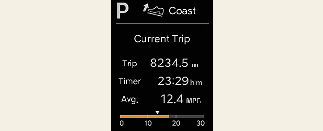
A chime will sound and the coasting guide indicator will be displayed to inform the driver when to take the foot off the accelerator by anticipating a decelerating event* based on the analysis of driving routes and road conditions stored in the navigation system. It encourages the driver to remove the foot from the pedal and allow coasting down the road with EV motor only. This helps to prevent unnecessary fuel consumption and increases fuel efficiency.
* Example of a deceleration event is going down an extended hill, slowing down approaching a toll booth, and approaching reduced speed zones.
-
User settings
Press the ENGINE START/STOP button and put the shift dial in P (Park). In the User Settings Mode, select Driver assistance, Coasting Guide, and then On to turn on the system. Cancel the selection of coasting guide to turn off the system. For the explanation of the system, press and hold the [OK] button.
-
Operating conditions
To activate the system, take the following procedures. Enter your destination information on the navigation and select the driving route. Select the ECO mode in the Integrated Driving Control System. Then, satisfy the following:
-
The driving speed should be between 19 mph (30 km/h) and 99 mph (160 km/h).
-
* The operating speed may vary due to the difference between instrument cluster and navigation affected by tire inflation level.
Key not in vehicle (for smart key system)
-
This warning message appears if the smart key is not in the vehicle when you press the ENGINE START/STOP button.
Key not detected (for smart key system)
-
This warning message appears if the smart key is not detected when you press the ENGINE START/STOP button.
Shift to N to start engine (for smart key system)
-
This warning message appears if you try to start the engine with the gear not in the N (Neutral) position.
Press brake pedal to start engine (for smart key system)
-
This warning message appears if the ENGINE START/STOP button changes to the ACC position twice by pressing the button repeatedly without depressing the brake pedal.
-
Depress the brake pedal to start the engine.
Battery discharging due to external electrical devices
The vehicle can detect self-discharge of the battery due to over-current that is generated by unauthorized electrical devices such as dashboard camera (dash cam).
If the warning continues even after external electrical devices are removed, have your vehicle inspected by an authorized Kia dealer.
Press START button again (for smart key system)
-
This warning message appears if you cannot operate the ENGINE START/STOP button when there is a problem with the ENGINE START/STOP button system.
-
Start the engine by pressing the ENGINE START/STOP button once more.
-
If the warning appears each time you press the ENGINE START/STOP button, have your vehicle inspected by an authorized Kia dealer as soon as possible.
Press START button with key (for smart key system)
-
This warning message appears if you press the ENGINE START/STOP button while the warning message "Key not detected" appears.
-
The immobilizer indicator light blinks.
Low engine oil
-
This warning message appears when the engine oil level is insufficient.
-
Refill the engine oil.
-
It is recommended to look for the nearest fueling station and refuel as soon as possible.
* For more details, refer to More Details.

When the engine oil level warning light occurs, it is necessary to check whether maintenance schedule (Engine oil replacement) in owner's manual has been followed before replenishing the oil, and if not followed, the engine oil must be replaced first.
Engine oil change due soon. Reset oil life after oil change
-
This warning message appears when the remaining engine oil life reaches 5% or below.
-
Replace engine oil from an authorized Kia dealer. After that, select Setup → Vehicle → Convenience → Convenience → Oil Change Reminder from Settings menu on the infotainment system screen to reset the remaining oil life.
* For more details, refer to More Details.
Engine oil change due now. Reset oil life after oil change
-
This warning message appears when the remaining engine oil life reaches 1% or below.
-
Replace engine oil immediately from an authorized Kia dealer. After that, select Setup → Vehicle → Convenience → Convenience → Oil Change Reminder from Settings menu on the infotainment system screen to reset the remaining oil life.
* For more details, refer to More Details.
Check Active Air Flap system
This warning message appears in the following situations:
-
There is a malfunction with the actuator flap.
-
There is a malfunction with the actuator air flap controller.
When all of the above conditions are fixed, the warning disappears.