

Surround View Monitor (SVM): (if equipped)
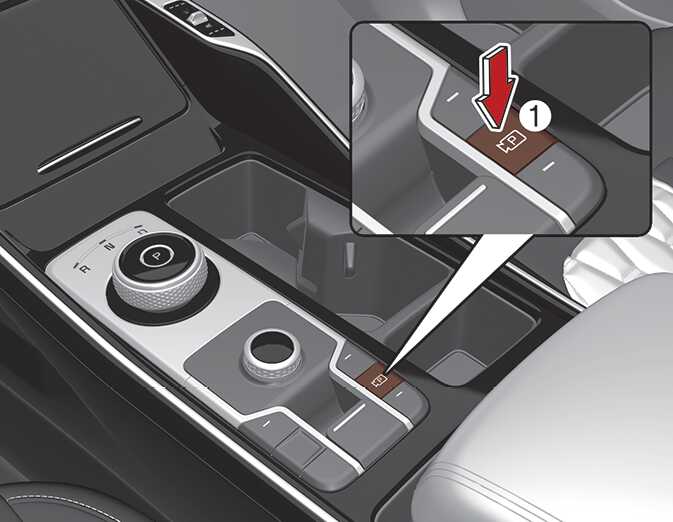
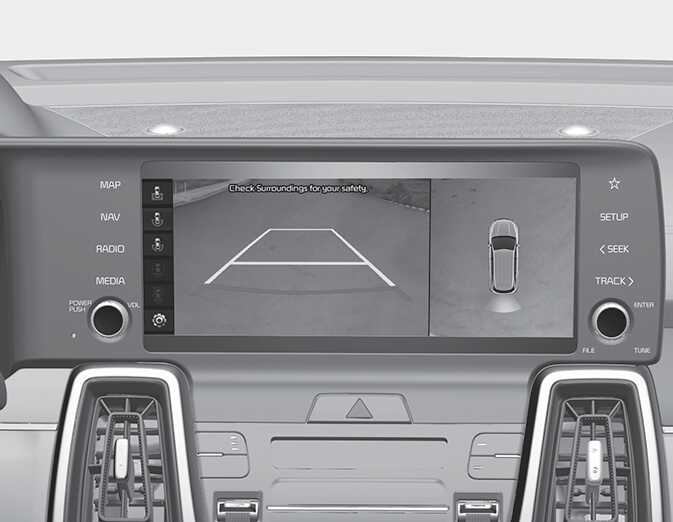
Surround View Monitor will assist in parking by allowing the driver to see around the vehicle.
ALWAYS look around your vehicle to make sure there are no objects or obstacles before moving the vehicle. What you see on the screen may differ from the actual vehicle's location.
For detailed information, scan the QR code in a separately supplied simple manual.
Surround View Monitor is designed to be used on a flat surface. Therefore, if used on roads with different heights such as curbs and speed bumps, the image in the screen may not look correct.
Detecting sensor
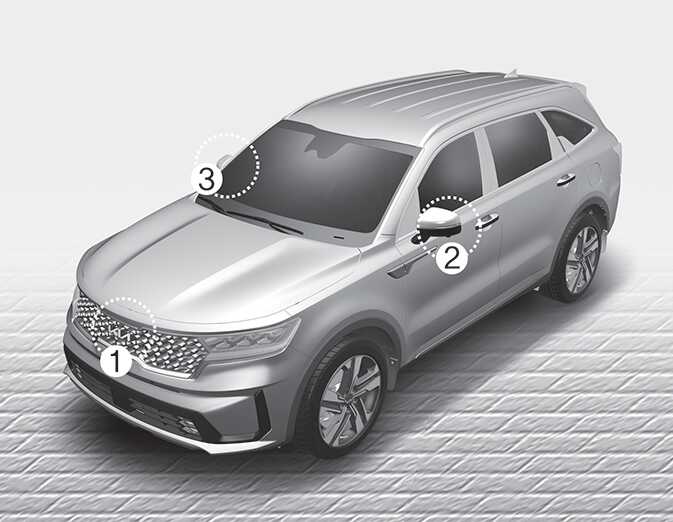
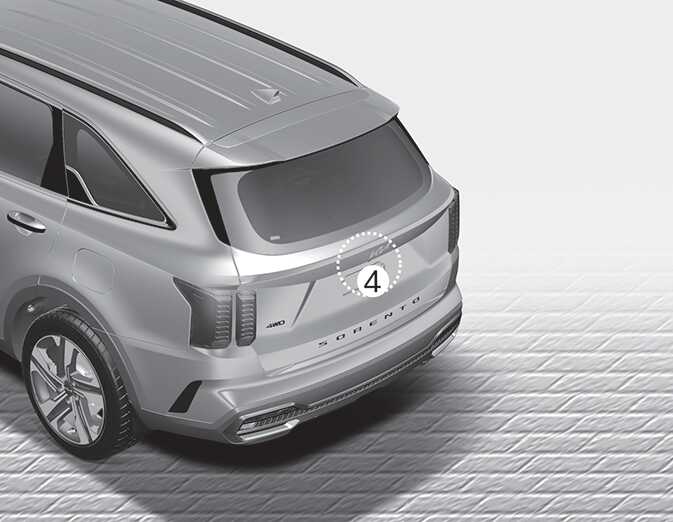
Refer to the picture above for the detailed location of the detecting sensors.
The image shown on the screen may differ from the actual distance of the object. Make sure to directly check the vehicle's surroundings for safety.
-
If the camera lens is covered with foreign material, Surround View Monitor may not operate normally. Always keep the camera lens clean.
-
However, do not use chemical solvents such as strong detergents containing high alkaline or volatile organic solvents (gasoline, acetone etc.). This may damage the camera lens.