

Adjusting lumbar support: (if equipped)
 OMQ4A023002_2 |
 OMQ4023006_3 |
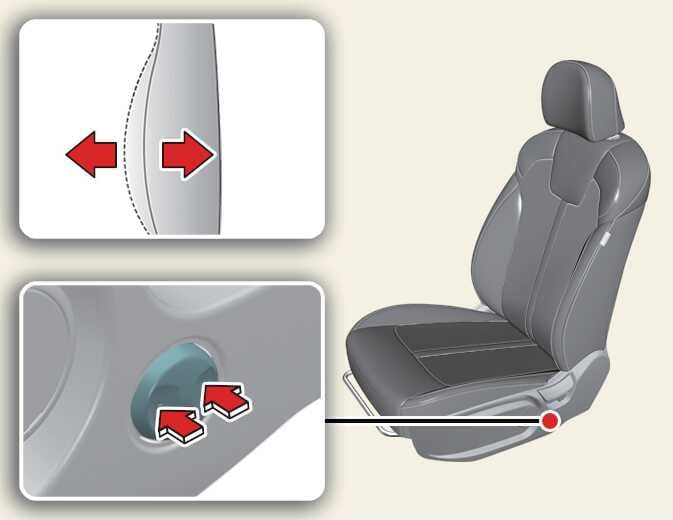
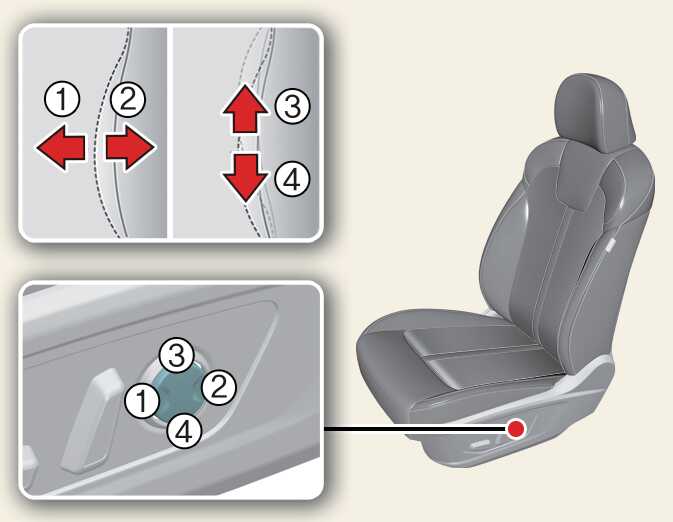
The lumbar support can be adjusted by pressing the lumbar support switch on the side of the seat.
- Press the front portion(1) of the switch to increase support, or the rear portion(2) of the switch, to decrease support.
- Press the upper portion (3) of the switch to raise the support, or the lower portion (4) of the switch, to lower the support.
- Release the switch once it reaches the desired position.