

Controlling fan speed

-
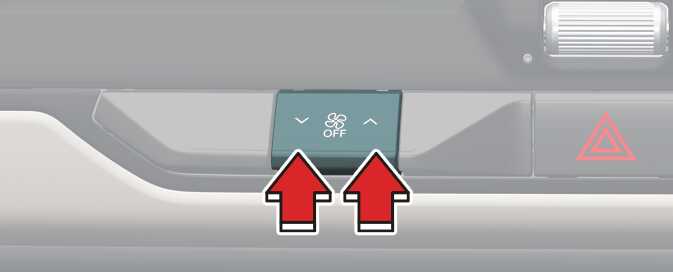
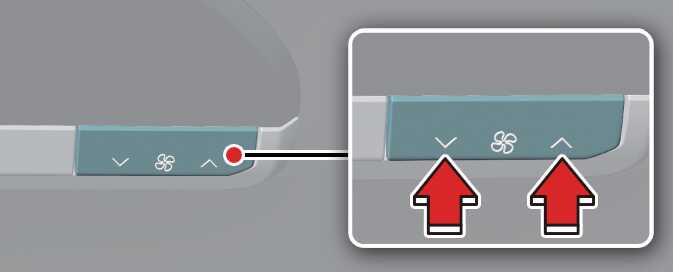
Front seats (Climate control display)/Rear seats: Press the left or right button to adjust the speed.
-
Front seats (Center dashboard): Put the lever up or down.
Reduced Visibility
Continuous use of the climate control system in the recirculated air position may allow humidity to increase inside the vehicle, which may fog the glass and obscure visibility.
Recirculated Air
Continued use of the climate control system in the recirculated air position can cause drowsiness or sleepiness, and loss of vehicle control. Set the air intake control to the outside (fresh) air position as much as possible while driving.
Sleeping with A/C on
Do not sleep in a vehicle with the air conditioning or heating on, as this may cause serious harm or death due to a drop in oxygen level and/or body temperature.
-
Operating the fan when the EV button is in the OFF position could cause the battery to discharge. Operate the fan only when the vehicle is ON.
-
Prolonged operation of the heater in the recirculated air position (without air conditioning selected) may cause fogging of the windshield and side windows and make the air in the passenger compartment stale. In addition, prolonged use of the air conditioning in the re-circulated air position will result in excessively dry air in the passenger compartment.
-
To turn the automatic operation off, select any button or switch of the following:
-
Mode selection button
-
Air conditioning button
-
Front-windshield defroster button (Press the button one more time to deselect the front windshield defroster function. The AUTO sign will illuminate on the information display once again.)
-
Fan speed control knob
The selected function will be controlled manually while other functions operate automatically.
-
-
To improve the effectiveness of the climate control, use the AUTO button and set the temperature to 72 °F (22 °C).
-
Never place anything over the sensor located on the instrument panel to increase control of the heating and cooling system.
-
To help improve microphone voice input sound, fan speed may automatically slow down for a couple of minutes when you activate voice recognition or hands free.
-
When charging or right after charging the high voltage battery, cooling the high voltage battery temperature will use air conditioner system.
Noise might be heard by the air conditioner compressor and cooling fan. This is normal.