

Remote Smart Parking Assist settings
Warning methods
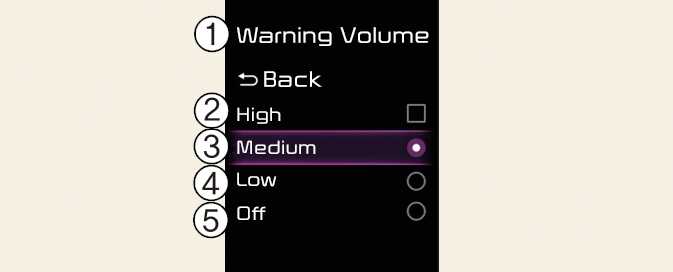
-
Warning volume
-
High
-
Medium
-
Low
-
Off
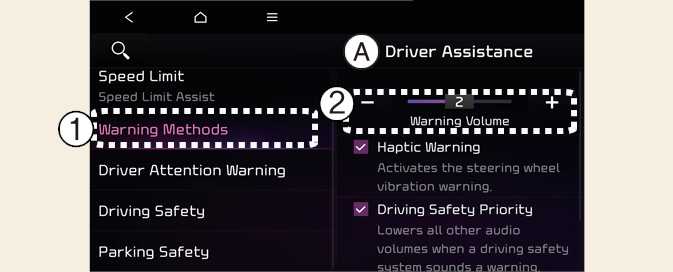
A: Driver assistance
-
Warning methods
-
Warning volume
Warning methods can be set when the vehicle is in ON position.
-
Warning volume: Select User settings → Driver assistance → Warning volume on the instrument cluster, or select Settings → Vehicle → Driver assistance → Warning methods → Warning volume on the infotainment system, and adjust the warning volume.
Even if you set the warning volume to 0, Warning volume will keep its volume in 1. (If steering wheel vibration equipped)
-
Ensure that Warning methods you have set may apply to the Warning methods of other driver assistance systems.
-
Warning methods will maintain its last setting even if the vehicle is restarted.
-
The setting menu may not be available for your vehicle depending on the vehicle features and specifications.