

How to Set the Charge Level of the Portable Charger
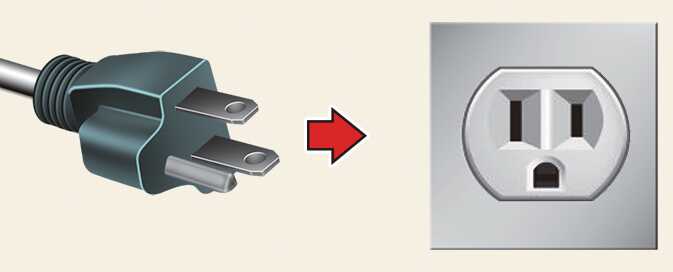
-
Check the rated current of the electric outlet prior to connecting the plug to the outlet.
-
Connect the plug to a household electric outlet.
-
Check the display window on the control box.
-
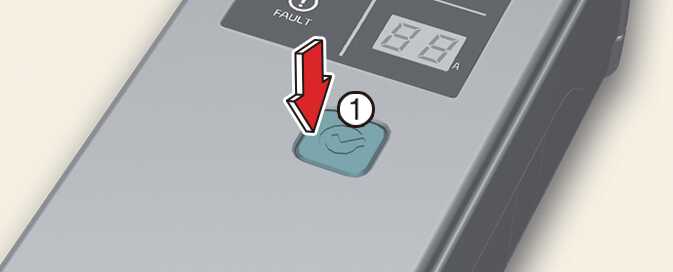
Press the button (1) on the front of the control box for 2 to 8 seconds to adjust the charge level. (Refer to charging cable type and example for setting the ICCB charge level.)
 OCVQ011021L
 -
The charge level on the display window of the control box changes every time you press the button (1).
-
When setting the charge level is complete, start charging according to the portable charge procedure.
Example for setting the ICCB charge level
The following is merely an example.
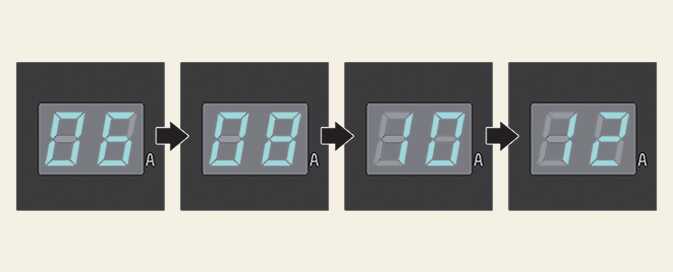
|
Outlet current |
ICCB charge level |
|---|---|
|
14~16 A |
12 A |
|
12~13 A |
10 A |
|
10~11 A |
8 A |
|
8~9 A |
6 A |
Please make sure that charge level selection matches the capacity of your circuit breaker to avoid blowing a fuse.