
Warning Methods
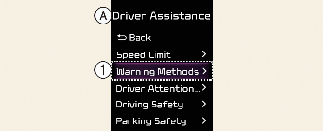
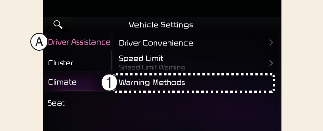
A: Driver Assistance
-
Warning Methods
The Warning Methods can be set with the vehicle on. Select User Settings → Driver Assistance → Warning Methods from the settings menu in the instrument cluster or Setup → Vehicle → Driver Assistance → Warning Methods from the settings menu in the infotainment system to change the following settings:
-
Warning Volume: Adjusts the volume of the warning sound.
-
Speed Limit Warning Sound: The Speed Limit Warning Sound can be turned on or off.
-
Speed Limit Change Notification Sound: The Speed Limit Change Notification Sound can be turned on or off.
-
Press and hold the mute button on the steering wheel to turn on or off the Speed Limit warning sound.
-
If Speed Limit Warning Sound is deselected and the vehicle is restarted, Speed Limit Warning Sound is automatically selected.

-
If you change the Warning Methods, it can be applied to each function of the driver assistance system. Please check and change it in each function.
-
If the vehicle is restarted, Warning Methods will maintain the last setting.
-
The setting menu may not exist based on vehicle specification.