

Using the contacts list
-
From the Phone screen, turn the [ TUNE] knob on the control panel to select Contacts, and then press the knob.
-
Turn the [ TUNE] knob to select the desired group of alphanumeric characters, and then press the knob.
-
Turn the [ TUNE] knob to select the desired contact, and then press the knob to make a phone call.
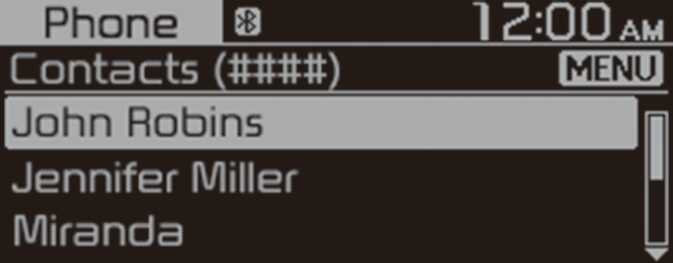
Press the [ MENU/CLOCK] button on the control panel to access the following a menu option:
-
Download: Download your mobile phone contacts.
-
Contacts can be viewed only when the Bluetooth device is connected.
-
Only contacts in the supported format can be downloaded and displayed from the Bluetooth device. Contacts from some applications will not be included.
-
Up to 2,000 contacts can be downloaded from your device.
-
Some mobile phones may not support the download function.
-
Depending on the system’s specifications, some of the downloaded contacts may be lost.
-
Contacts stored both in the phone and in the SIM card are downloaded. With some mobile phones, contacts in the SIM card may not be downloaded.
-
Special characters and figures used in the contact name may not be displayed properly.
-
Permission is required to download contacts from the mobile phone. When you attempt to download data, you may need to permit the download on the mobile phone. If the download fails, check the mobile phone screen for any notification or the mobile phone’s permission setting.
-
Depending on the mobile phone type or status, downloading may take longer.
-
When you download your contacts, any old data will be deleted.
-
You cannot edit or delete your contacts on the system.
-
When you connect a new mobile phone, your contacts downloaded from the previous mobile phone will not be displayed, but they will remain in your system until you delete the previous phone from the device list.