
Rear Cross-Traffic Collision-Avoidance Assist settings
Rear Cross-Traffic Safety

With the ENGINE START/STOP button in the ON position, select 'Driver Assistance → Parking Safety → Rear Cross-Traffic Safety' from the Settings menu to turn on Rear Cross-Traffic Safety and deselect to turn off the function.

When the engine is restarted, Rear Cross-Traffic Safety will always turn on. However, if 'Off' is selected after the engine is restarted, the driver should always be aware of the surroundings and drive safely.

Settings for Rear Cross-Traffic Safety include Rear Cross-Traffic Collision Warning and Rear Cross-Traffic Collision-Avoidance Assist.
Warning timing
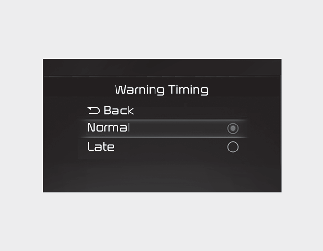
With the ENGINE START/STOP button in the ON position, select 'Driver Assistance → Warning Timing' from the Settings menu to change the initial warning activation time for Rear Cross-Traffic Safety.
When the vehicle is first delivered, Warning Timing is set to 'Normal'. If you change the Warning Timing, the warning time of other Driver Assistance may change.
Warning volume
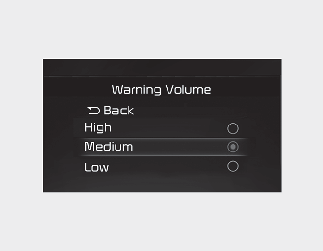
With the ENGINE START/STOP button in the ON position, select 'Driver Assistance → Warning Volume' from the Settings menu to change the Warning Volume to 'High', 'Medium', 'Low' or 'Off' (if steering wheel vibration equipped) for Rear Cross-Traffic Safety.
If you change the Warning Volume, the Warning Volume of other Driver Assistance may change.

-
The setting of the Warning Timing and Warning Volume applies to all functions of the Rear Collision-Avoidance Assist.
-
Even though 'Normal' is selected for Warning Timing, if the vehicles from the left and right side approaches at high speed, the initial warning activation time may seem late.
-
Select 'Late' for Warning Timing when traffic is light and when driving speed is slow.
If the engine is restarted, Warning Timing and Warning Volume will maintain the last setting.