
Turning Lane Keeping Assist On/Off
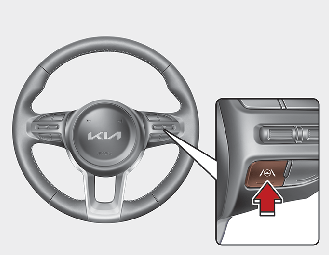
-
For Europe/Australia/Russia
Whenever the vehicle is turned off and on, Lane Keeping Assist will always turn on and the gray indicator (
 ) will appear on the cluster. Press and hold the Lane Driving Assist button (
 ) to turn off Lane Keeping Assist.
-
Except Europe/Australia/Russia
With the vehicle on, press and hold the Lane Driving Assist button on the steering wheel to turn on Lane Keeping Assist. The indicator light will appear on the cluster.

-
When Lane Keeping Assist is turned off with the Lane Driving Assist button, Lane Safety settings will turn off.
-
Whenever the vehicle is turned off and on, Lane Safety settings retain its settings. (Except Europe/Australia/Russia)