

Smart key: (if equipped)
With a smart key, you can lock or unlock a door and start the engine without inserting the key.
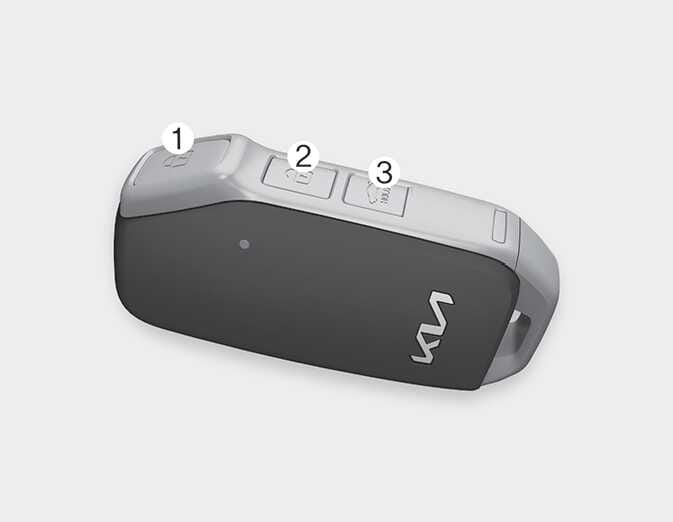
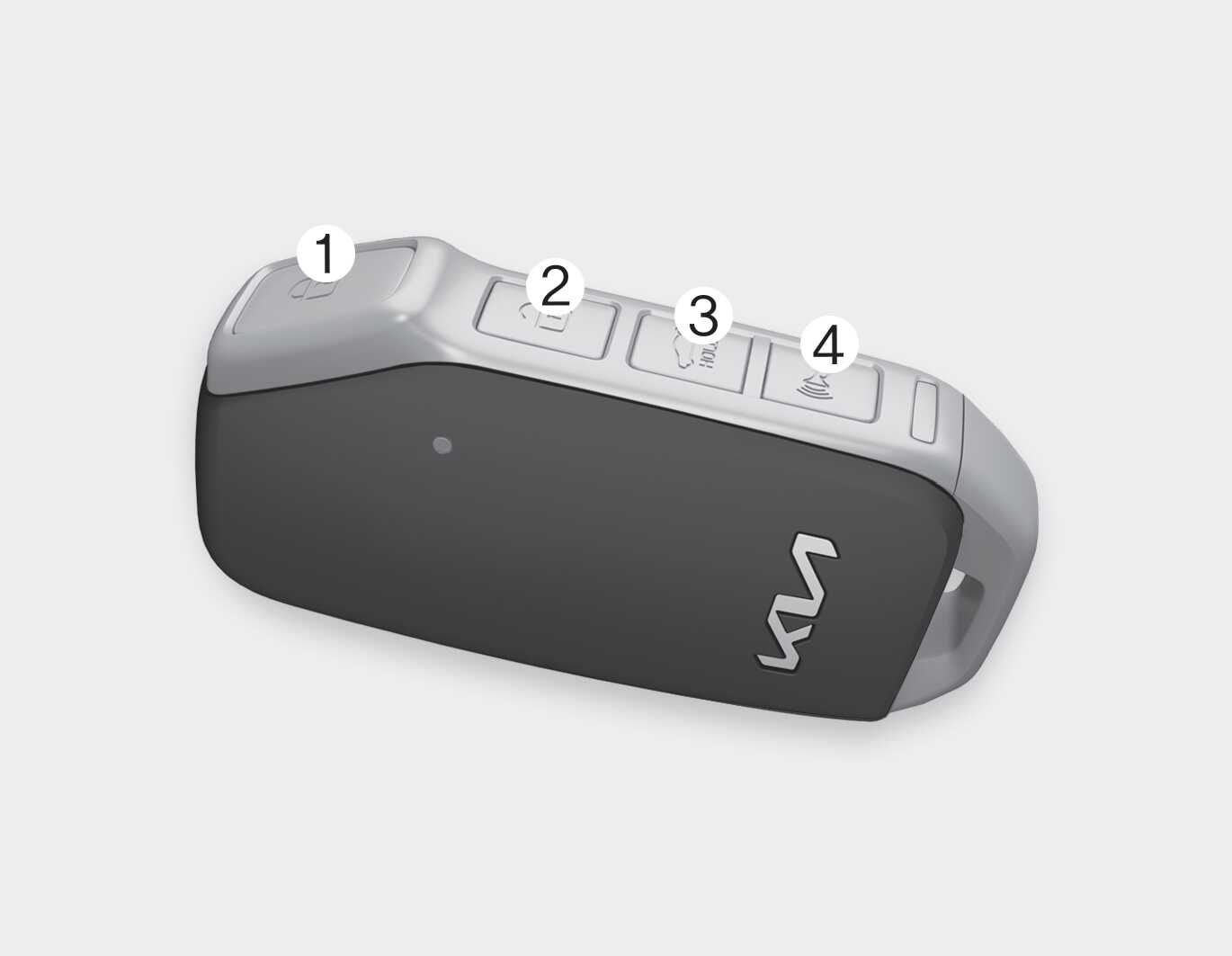
Lock (1)
All doors are locked if the lock button is pressed while all doors are closed.
The hazard warning lights will blink once to indicate that all doors are locked.
However, if any door, engine hood or trunk remains open, the hazard warning lights will not operate. If all doors, engine hood and trunk are closed after the lock button is pressed, the hazard warning lights will blink once.
Unlock (2)
All doors are unlocked if the unlock button is pressed.
The hazard warning lights will blink twice to indicate that all doors are unlocked.
After pressing this button, the doors will lock automatically unless you open any door within 30 seconds.
When 2 Press Unlock function (if equipped) is activated,
-
If you press the Unlock button (2) on the smart key, the driver's door will unlock.
-
If you press the Unlock button (2) on the smart key within four seconds again, then all the doors will unlock.
You can activate or deactivate the 2 Press Unlock function by selecting 'User Settings (LCD display) → Door → 2 Press Unlock'. (if equipped)
Trunk unlock (3)
The trunk is unlocked if the button is pressed for more than 1 second.The hazard warning lights will blink twice to indicate that the trunk is unlocked.However, after pressing this button, the trunk will lock automatically unless you open the trunk within 30 seconds.
Once the trunk is opened and then closed, the trunk will lock automatically.
Panic alarm (4): (if equipped)
-
Press the panic button (4) for more than 1 second.
-
The horn sounds and hazard warning light flash for about 27 seconds.
To stop the horn and lights, press any button on the key.
Start-up
You can start the vehicle without inserting the key.
For more information, refer to ENGINE START/STOP button.