

System status icons
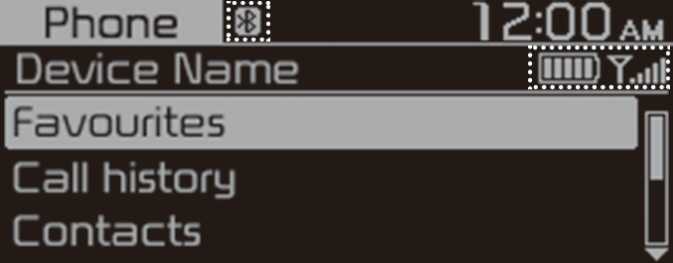
Status icons appear at the top of the screen to display the current system status.
Familiarise yourself with the status icons that appear when you perform certain actions or functions and their meanings.
Bluetooth
|
Icon |
Description |
|---|---|
 K_B_BETTERY |
Battery level of connected Bluetooth device |
 ICON_BT_180328 |
Mobile phone or audio device connected via Bluetooth |
 ICON_CALL |
Bluetooth call in progress |
 ICON_MIC |
Microphone turned off during Bluetooth call |
 ICON_CLL |
Downloading call history from a mobile phone connected via Bluetooth to the system |
 ICON_DC |
Downloading contacts from a mobile phone connected via Bluetooth to the system |
Signal strength
|
Icon |
Description |
|---|---|
 ICON_ANTENNA |
Signal strength of the mobile phone connected via Bluetooth |
-
The battery level displayed on the screen may differ from the battery level displayed on the connected device.
-
The signal strength displayed on the screen may differ from the signal strength displayed on the connected mobile phone.
-
Depending on vehicle models and specifications, some status icons may not be displayed.