

Temperature control
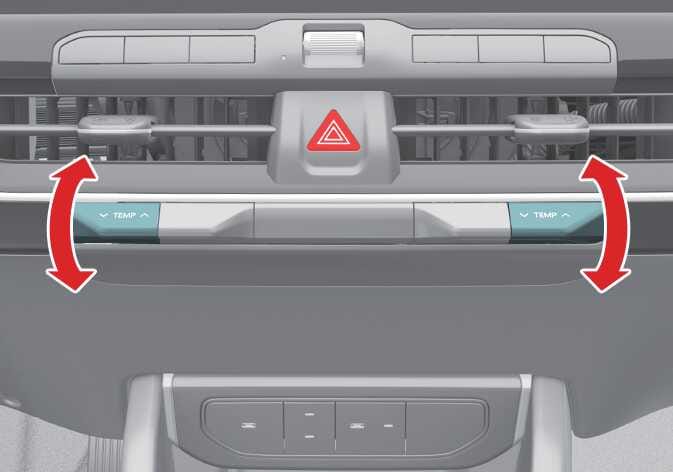 OCL4M035312N |
Press the temperature control lever up to increase the temperature or down to decrease the temperature.
When set to the lowest temperature setting, the A/C will operate continuously.
Syncing driver and passenger temperature
 OCL4M035326N |
-
To sync the driver and passenger temperatures, press the SYNC icon.
-
The passenger temperature will be set to the same temperature as the driver side. When you adjust the driver side temperature control lever, both the driver and passenger temperatures will be adjusted.
-
If you turn the passenger side temperature control lever, the SYNC button will turn off, and you will be able to operate the passenger temperature independently.
To adjust the driver and passenger side temperatures individually, press the SYNC icon again. The button indicator will turn off.
Changing temperature scale: (if equipped)
To switch the temperature scale between Celsius (°C) and Fahrenheit (°F), press the AUTO icon for at least 3 seconds while pressing the OFF icon.
The display will change from Fahrenheit (°F) to Celsius (°C) or vice versa. If the 12V battery is discharged or disconnected, the temperature scale will reset to Celsius.