

Rear View Monitor settings
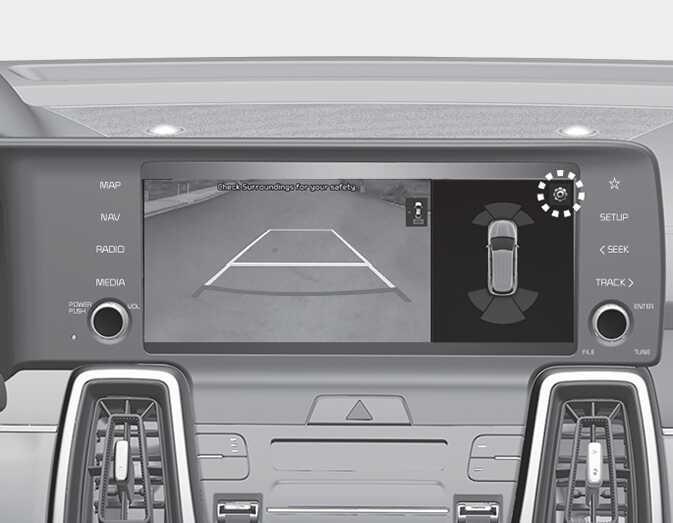
OMQ4AH050163
-
You can change Rear View Monitor settings by pressing the setup icon (
 ) on the screen while the function is operating, or select 'Driver Assistance → Parking Safety → Camera Settings' from the Settings menu while the ENGINE START/STOP button is in the ON position.
-
Parking assist rear view settings can be changed in the display information and the screen brightness/contrast value can be changed in the screen settings.
-
Select 'Setting → Screen → Extended Rear View Monitor' from the Settings menu of the Infotainment system to use the Extended Rear View Monitor function.
Parking/View button
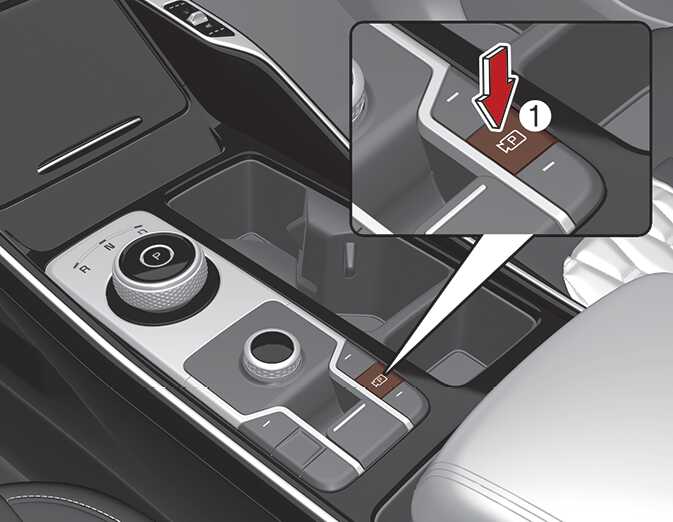
OMQ4040041
-
Press the Parking/View button (1) to turn Rear View Monitor on or off.