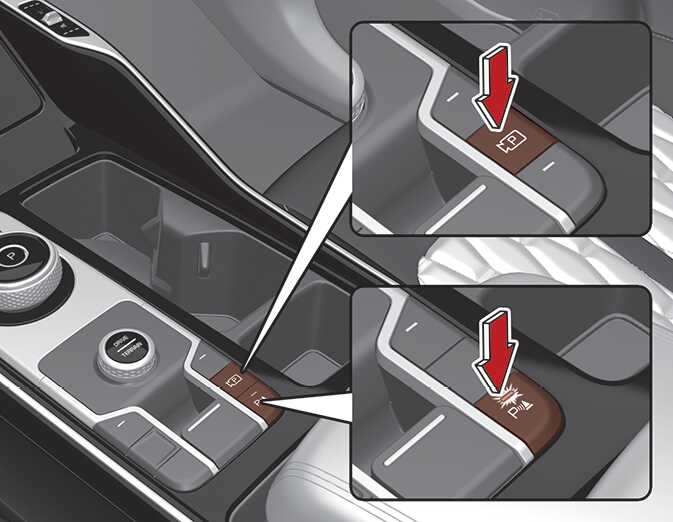
Remote Smart Parking button
|
Parking/View button |
Smart key Remote Start and Forward/Backward button |
|---|---|
 OMQ4040439 |
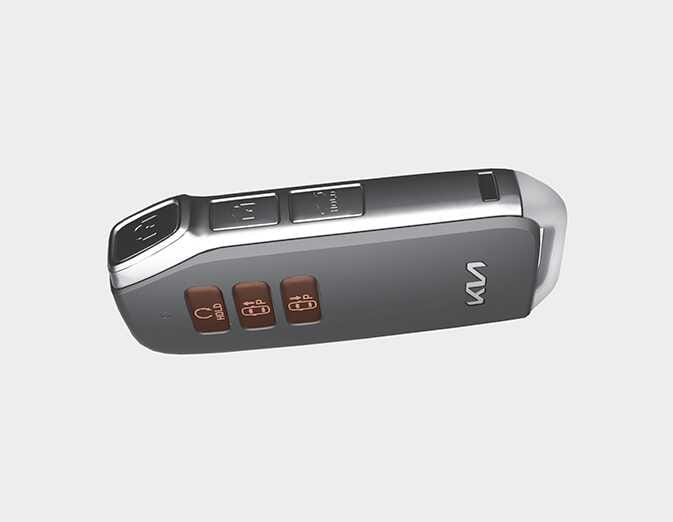 OMQ4041517L |
|
Location |
Name |
Symbol |
Description |
|---|---|---|---|
|
Inside vehicle |
Parking/View button |
|
Press and hold the Parking/View button to turn on Remote Smart Parking Assist. Also, Forward/Reverse Parking Distance warning will automatically turn on. However, functions may differ depending on the situations. Refer to each function's description for more details in the following pages. |
|
Parking Safety button |
|
Press the Parking Safety button while Remote Smart Parking Assist is operating to end function operation. |
|
|
Smart Key |
Remote Start button |
|
Press the Remote Start button after the door is locked with the engine off to start the engine remotely. Press the Remote Start button while Remote Moving Forward/Reverse function is operating to end function operation. |
|
Forward button |
|
When using the Remote Moving Forward/Backward function, the vehicle moves in the direction of the button while the button is pressed. |
|
|
Backward button |
|