

Displaying operating status
You can see the status of the Highway Driving Assist operation in the Driving Assist view on the cluster. Refer to LCD display modes.
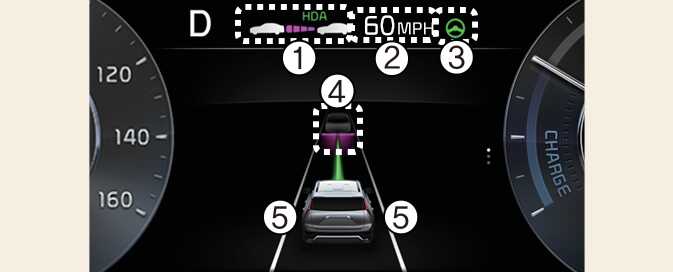
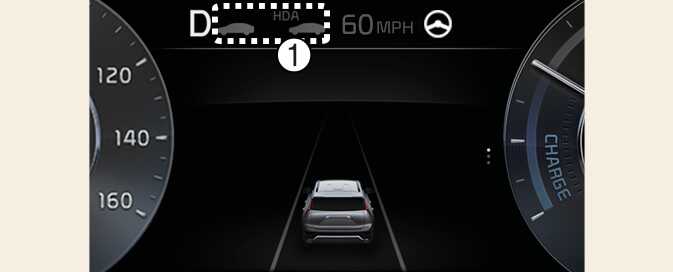
Highway Driving Assist will be displayed as below depending on the status of the function.
-
Highway Driving Assist indicator, whether there is a vehicle ahead and the selected distance level are displayed.
-
Highway Driving Assist indicator
-
Green HDA: Operating state
-
Grey HDA: Standby state
-
White HDA blink: Accelerator depressed state
-
-
-
Set speed
-
Lane Following Assist indicator
-
Whether there is a vehicle ahead and the selected headway
-
Whether the lane is detected or not
-
For more details on the display refer to Smart Cruise Control (SCC).
-
For more details on the display, refer to Lane Following Assist (LFA).
-
The images and colors in the instrument cluster may differ depending on the cluster type or theme selected from the settings menu.