

When the navigation system is not applied
 N_QVe27_C00_148_E |
|
-
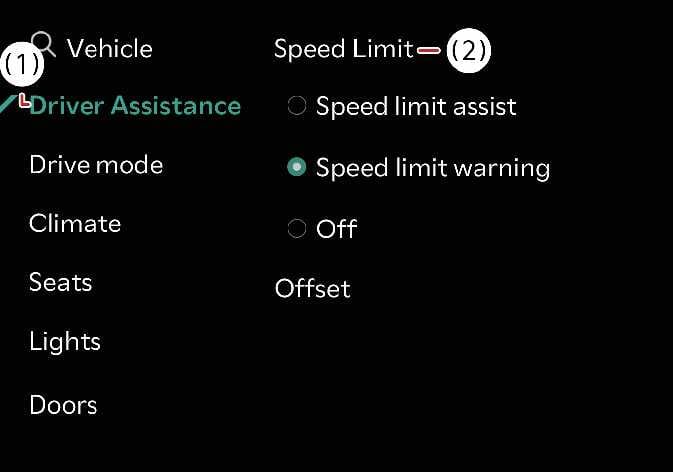
Speed Limit Offset: Sets an offset to the speed limit. Setting speed adjustments is based on the road speed limit plus the offset value.
-
Country Selection: If navigation is not enabled, you can manually select the country from the menu. Please select the country you are currently driving in for proper functionality.
-
Speed Limit Assist: Intelligent Speed Limit Assist informs you of the posted speed limit and additional road signs, and warns you when you drive the vehicle faster than the speed limit. Intelligent Speed Limit Assist also recommends changing the set speed of the Manual Speed Limit Assist or Smart Cruise Control functions to help you stay within the posted speed limit.
-
Speed Limit Warning: Intelligent Speed Limit Assist informs you of the posted speed limit and additional road signs. Intelligent Speed Limit Assist also warns you when you drive the vehicle faster than the posted speed limit.
-
Off: Disables Intelligent Speed Limit Assist. The speed limit warning indicator (
 ) will be displayed.
If set to “Off,” the system will automatically switch to “Warning” or “Speed Limit Warning” when the vehicle is powered off and then powered on.
-
Speed Limit assist operates based on an offset value added to the speed limit. Set the offset value to “0” to change the speed according to the posted speed limit.
-
Navigation-based Smart Cruise Control does not reflect the setting of the Speed Limit Offset function.